Page 23
Speed: the time taken (in musical bars) for a full sweep of the oscillator.
Shape: morphs the basic waveform into more interesting shapes.
Check out the training videos for some real Oscillator examples, and trust us when we say
that this is probably the most useful feature in DMXIS!
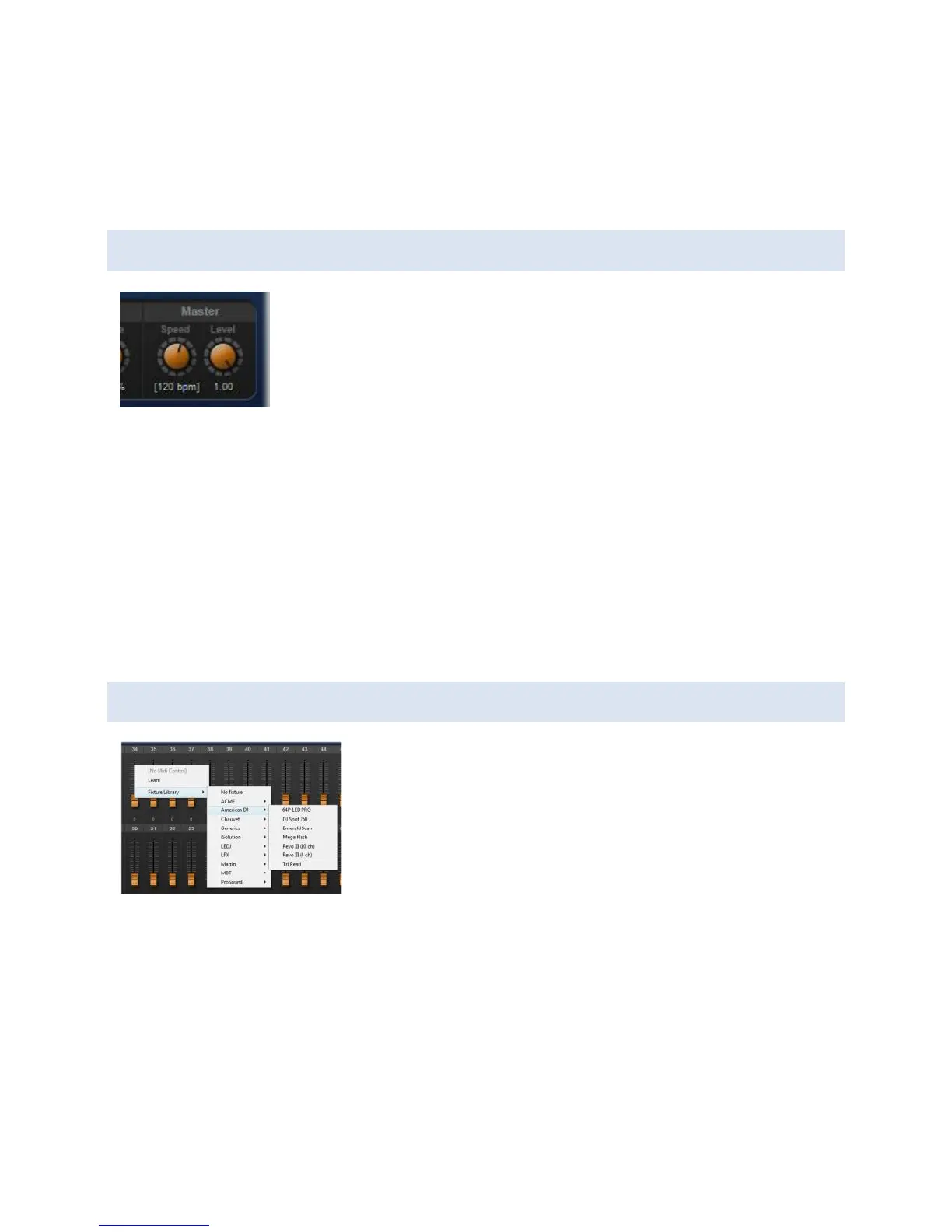
MASTER CONTROLS
The Speed control sets the song tempo. Use this in conjunction with
the Oscillator Speed control to create presets that move in time
with your music.
The Level control allows you to dim & blackout your entire rig from
one control. If NO fixtures are loaded, Level will proportionately decrease all 512 faders as
it is turned down. If some fixtures are loaded, Level will intelligently dim only those
channels which are dimmable. (For example, Pan/Tilt controls on scanners will not be
affected by Level).
Note that the master controls are NOT context sensitive - there is only one global value
for Speed and Level.
Also note that with the DMXIS plug-in, the host tempo overrides the Speed control.
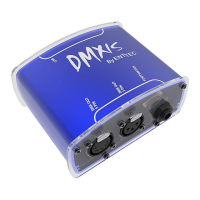
LOADING FIXTURES
To allocate a fixture to a range of faders, right-click on the
start fader and navigate the Fixture Library menu to locate
your light.
To unload a fixture, right-click on any channel and select
Fixture Library > No fixture
Once a fixture is loaded, you have several benefits:
You see sensible names & values under each fader, rather than basic numbers.
The DMXIS Master Level control now works properly for that fixture (i.e. control
channels are not dimmed).
The XY controller will enable for that fixture (if it has Pan/Tilt parameters)
You can double-click on faders, and any similarly named faders will be
automatically selected. (Handy for making quick changes to a group of lights)


 To Next Page