35
GB
The default values are set to a temperature
of 60°C and a humidity of 60%.
if no humidity sensor is installed or it is
deactivated the value set – and displayed
– indicates a time pulse value (e.g. 80% =
vaporiser is switched on for 4 minutes and
off for 1 minutes)
Press the „
„ button to start the steam
operation mode.
If you programmed the unit while it was run-
ning, you must switch off and restart it using
the „ „ button.
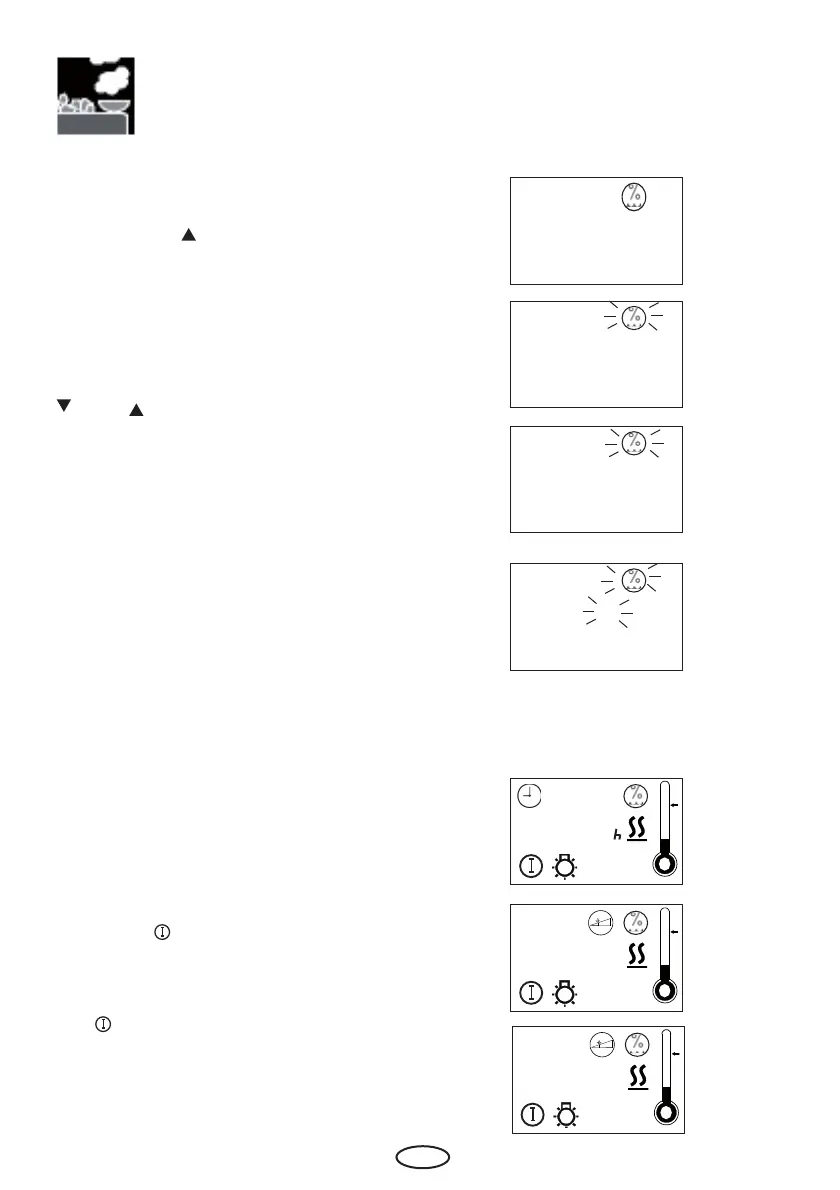
After starting up, the display alternates bet-
ween the time of day, the preset humidity
level and the remaining heating time.
P3 Humid mode
P 3
For humidity operation adjustment please
press „Mode“ button.
Afterwards the „ „ button until in the display
the humidity symbol and „P3“ appears.
Please confi rm with the „Mode“ button.
Please chose the wished value with the „
„ and „ „ buttons.
0 = Finnish operation
1 = Humidity operation
Please confirm with a long press on the
„Mode“ button until the new value is fl ashing
on the display.
Afterwards the displays shows „P3“ for
short



 To Next Page