Windows Vista and Server 2008:
Right-click the icon for your printer, then click the Change sharing options button, and then
click Continue.
Windows XP, 2000 and Server 2003:
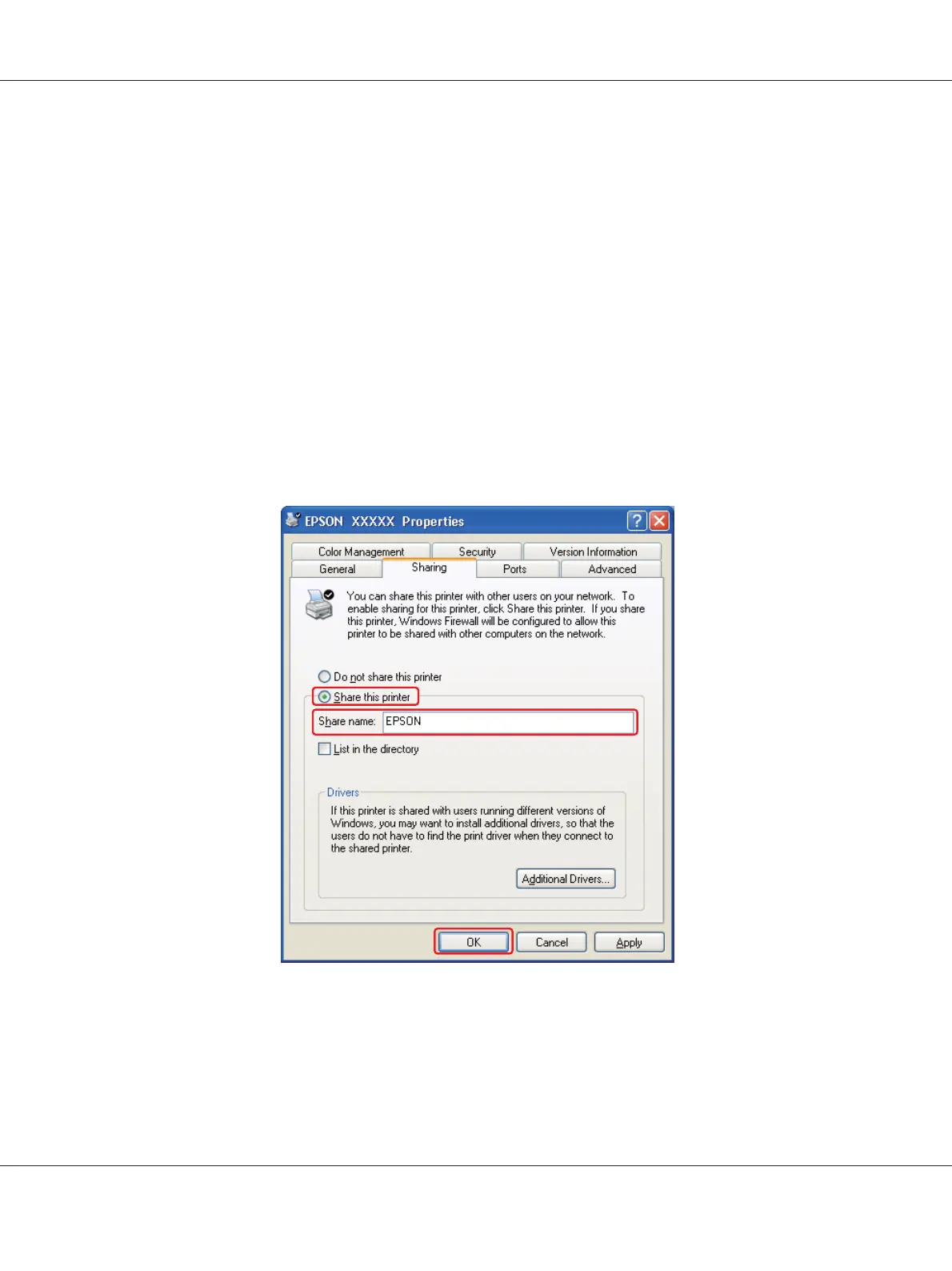
Right-click the icon for your printer, then click Sharing.
3. Windows 7, Vista, XP, Server 2008, Server 2003:
Select Share this printer, then type a Share name.
Windows 2000:
Select Shared as, then type a name for the shared printer.
Note:
Do not use spaces or hyphens in the share name.
If you want to setup a print server computer to allow client computers running different versions
of Windows to automatically download printer drivers from the print server, click Additional
Drivers and select the environment and the operating systems of the other computers. Click OK,
then insert the printer software CD into the CD-ROM drive.
B-310N/B-510DN User’s Guide
Using the Printer on a Network 164












 To Next Page