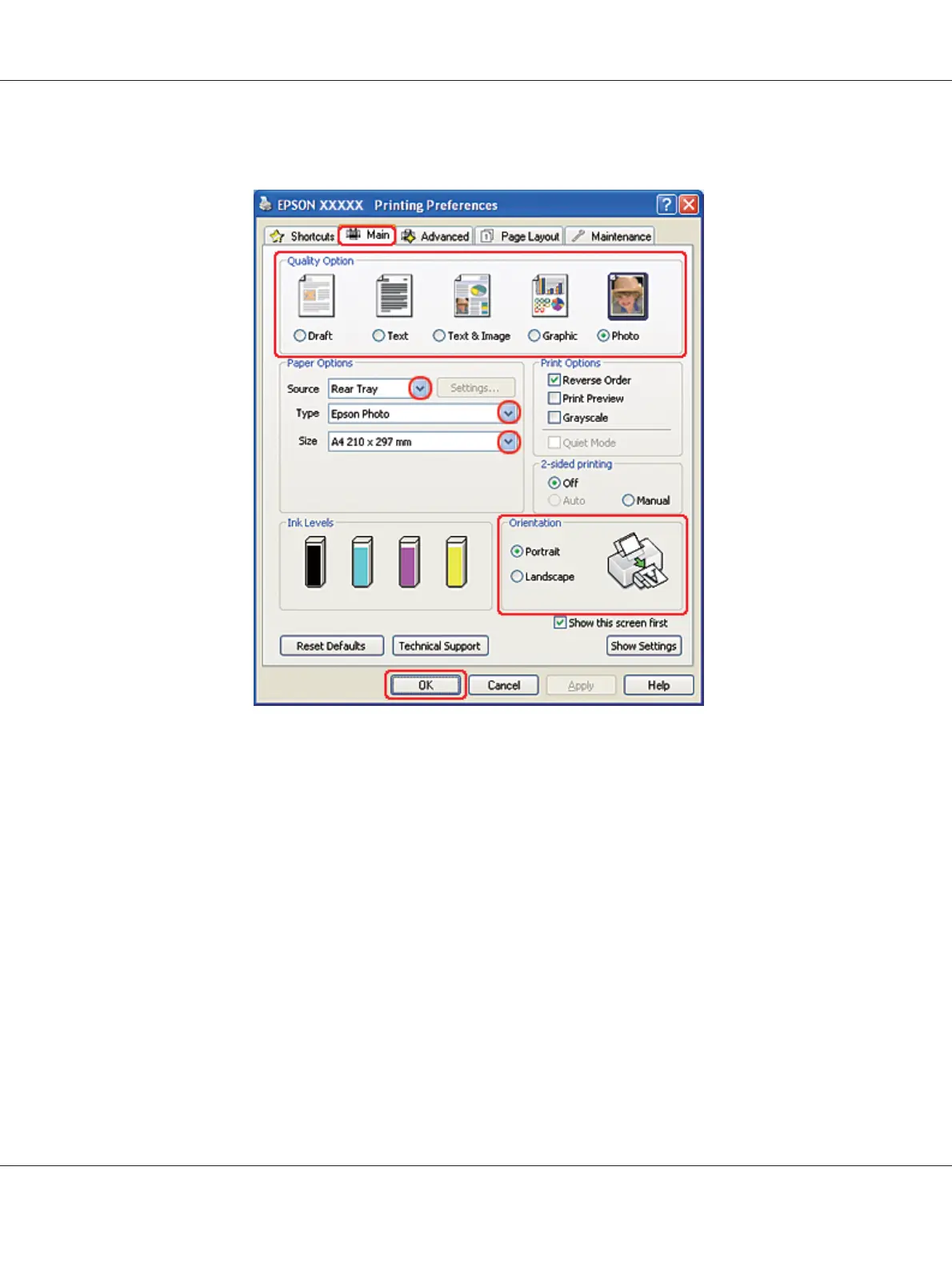
& See “Accessing the printer driver for Windows” on page 16.
2. Click the Main tab, then select Photo in the Quality Option settings:
3. Select the paper source as the Source setting.
4. Select the appropriate Type setting.
& See “Selecting the Correct Paper Type” on page 34.
5. Select the appropriate Size setting. You can also define a custom paper size. For details, see the
online help.
6. Select Portrait (tall) or Landscape (wide) to change the orientation of your printout.
7. Click OK to close the printer settings window.
B-310N/B-510DN User’s Guide
Basic Printing 53












 To Next Page