87
Caution: Do not use a hard brush, alcohol, or paint thinner to clean the product or you may damage it.
Do not use oil or other lubricants inside the product or let water get inside it.
1. Turn off the scanner and unplug the AC adapter.
2. Disconnect any connected cables.
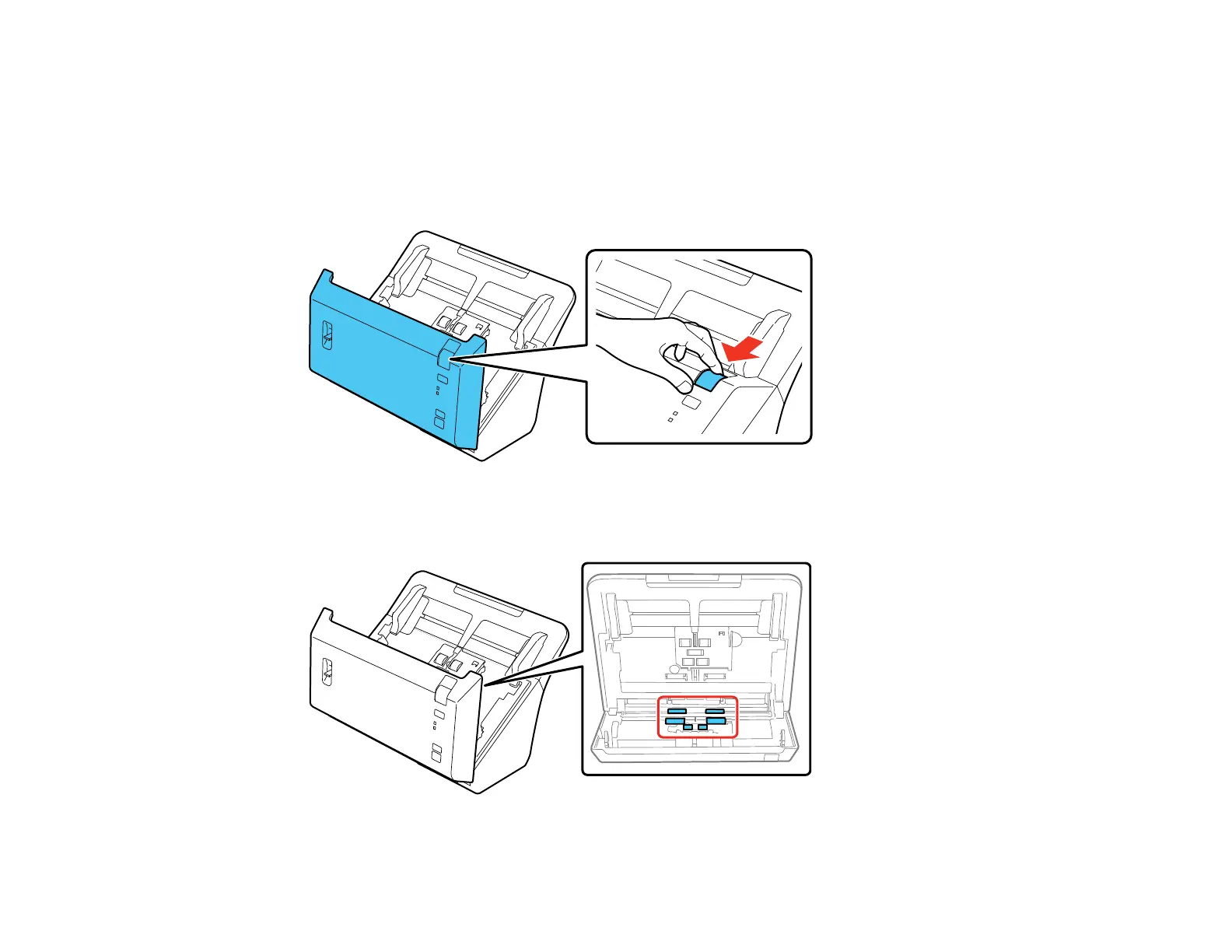
3. Pull down on the cover open lever and open the scanner cover.
4. Use the included microfiber cloth or a soft, dry cloth to wipe off any dust or dirt on the rollers inside
the scanner cover.








 To Next Page