
 Need help?
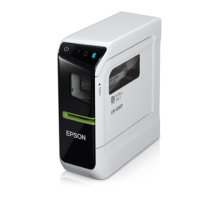
Do you have a question about the Epson LabelWorks LW-600P and is the answer not in the manual?
 General
| Brand | Epson |
|---|---|
| Model | LabelWorks LW-600P |
| Category | Label Maker |
| Language | English |
Instructions on how to connect the printer to a power source.
Guide on inserting AA batteries for portable use.
Steps to load and unload label tape cartridges.
Detailed steps to connect the printer via Bluetooth to an Android device.
Detailed steps to connect the printer via Bluetooth to an iOS device.
Steps to connect the printer to a PC using a USB cable.
How to clean the exterior surfaces of the label printer.
Procedure for cleaning the printer's print head to ensure print quality.
Troubleshooting steps for Bluetooth connection issues between devices and the printer.
Steps to resolve issues when the printer fails to print labels.
Guidance for resolving printing errors originating from the computer.
Tips for improving label print quality issues like lines or broken text.






 To Next Page
