J
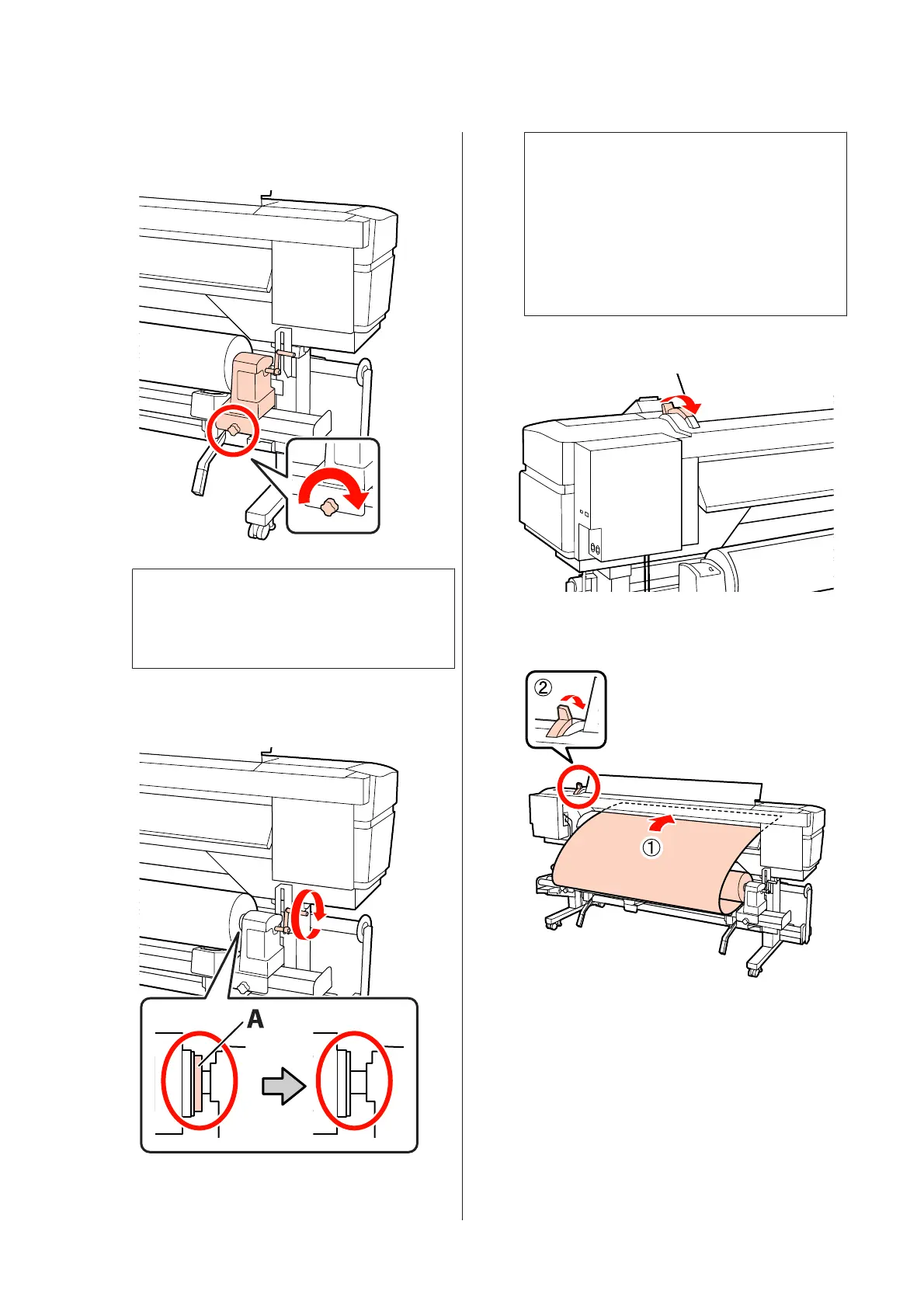
Tighten the roll holder screw until the screw no
longer turns to fix the roll holder in place.
c
Important:
If the roll holder screw is loose, the roll holder
may move during printing. This could cause
stripes and unevenness in the print results.
K
Rotate the handle until part A in the illustration
below is fully inserted.
c
Important:
Once part A is hidden, do not turn the handle
any further. Failure to observe this precaution
could damage the roll holder.
If part A is still visible even after the handle
has been turned fully, rewind the handle.
Loosen the roll holder screw on the right side,
and then restart from Step 8.
L
Raise the media loading lever.
M
Insert the media approximately 30 cm into the
opening, then lower the media loading lever.
EPSON SC-S70600 series/SC-S50600 series/SC-S30600 series User's Guide
Basic Operations
54



 To Next Page
 Loading...