In Standard (Manual)
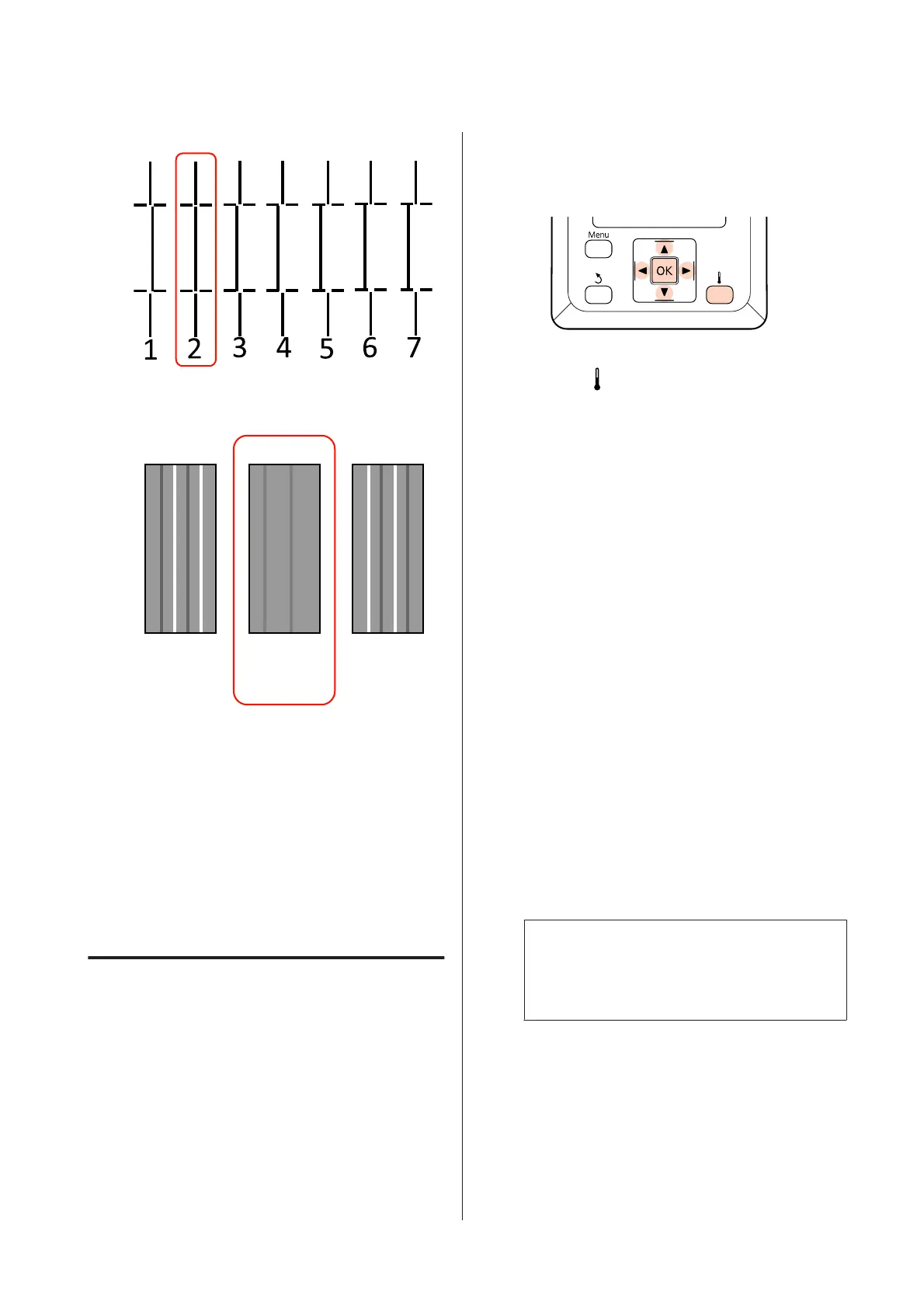
In Block pattern
1
C1
23
J
The screen to enter a numeric value is displayed.
Using the u/d buttons, enter the pattern number
recorded in Step 9 and press the Z button.
K
When multiple check patterns have been
printed, select the number per check pattern, and
then press the Z button.
The media setup menu will be displayed when you enter
the pattern number for the last color.
Changing settings during
printing
Heating & Drying and Feed Adjustment can be
changed during printing using the procedures shown
below.
Heating & Drying
Buttons that are used in the following settings
A
Press the button during printing.
The Heating & Drying menu is displayed.
B
Use the d/u buttons to select the desired option
and press the Z button.
C
Choose a value.
Heater Temperature
(1)
Use the r/l buttons to select a heater. From
left, the options are pre-heater, platen heater,
and after heater.
(2)
After selecting the desired heater, use the d/u
buttons to choose the temperature.
Additional Dryer
Use the d/u buttons to select On or Off.
D
Pressing the Z button updates the currently
selected media settings.
E
Press the y button twice to return to the
customize settings menu.
Note:
The time needed for the heaters to reach the
specified temperatures varies with the ambient
temperature.
EPSON SC-S70600 series/SC-S50600 series/SC-S30600 series User's Guide
Basic Operations
89



 To Next Page
 Loading...