5.
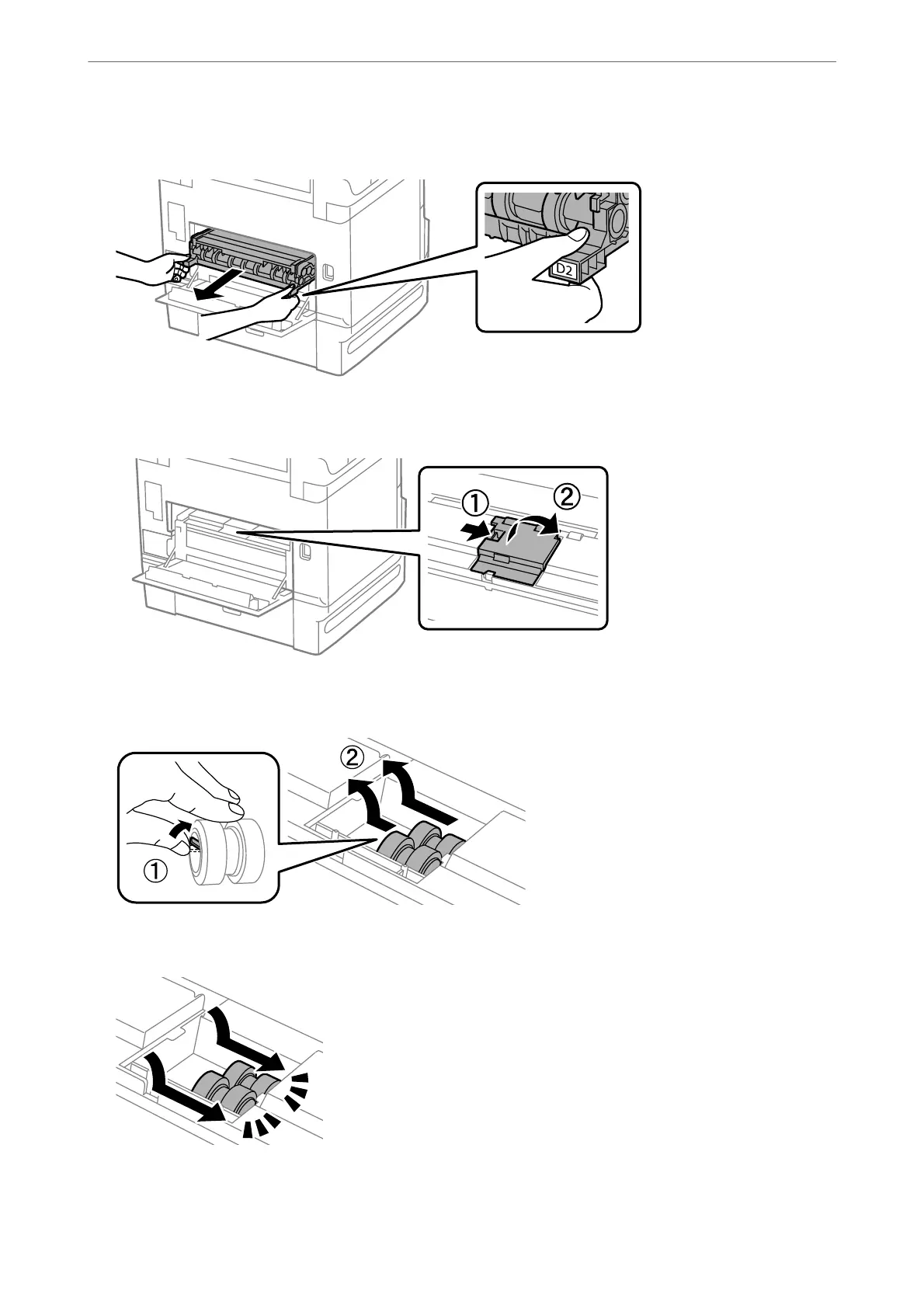
Pull out rear cover 2.
6.
Remove the cover inside the back of the printer.
7.
Slide out the two used maintenance rollers, and remove them.
8.
Insert two new maintenance rollers until they click into place.
Note:
Insert the maintenance rollers by rolling them so that you can insert them smoothly.
Maintaining the Printer
>
Replacing Maintenance Rollers in Paper Cassette 1
188



 To Next Page
 Loading...












