6.
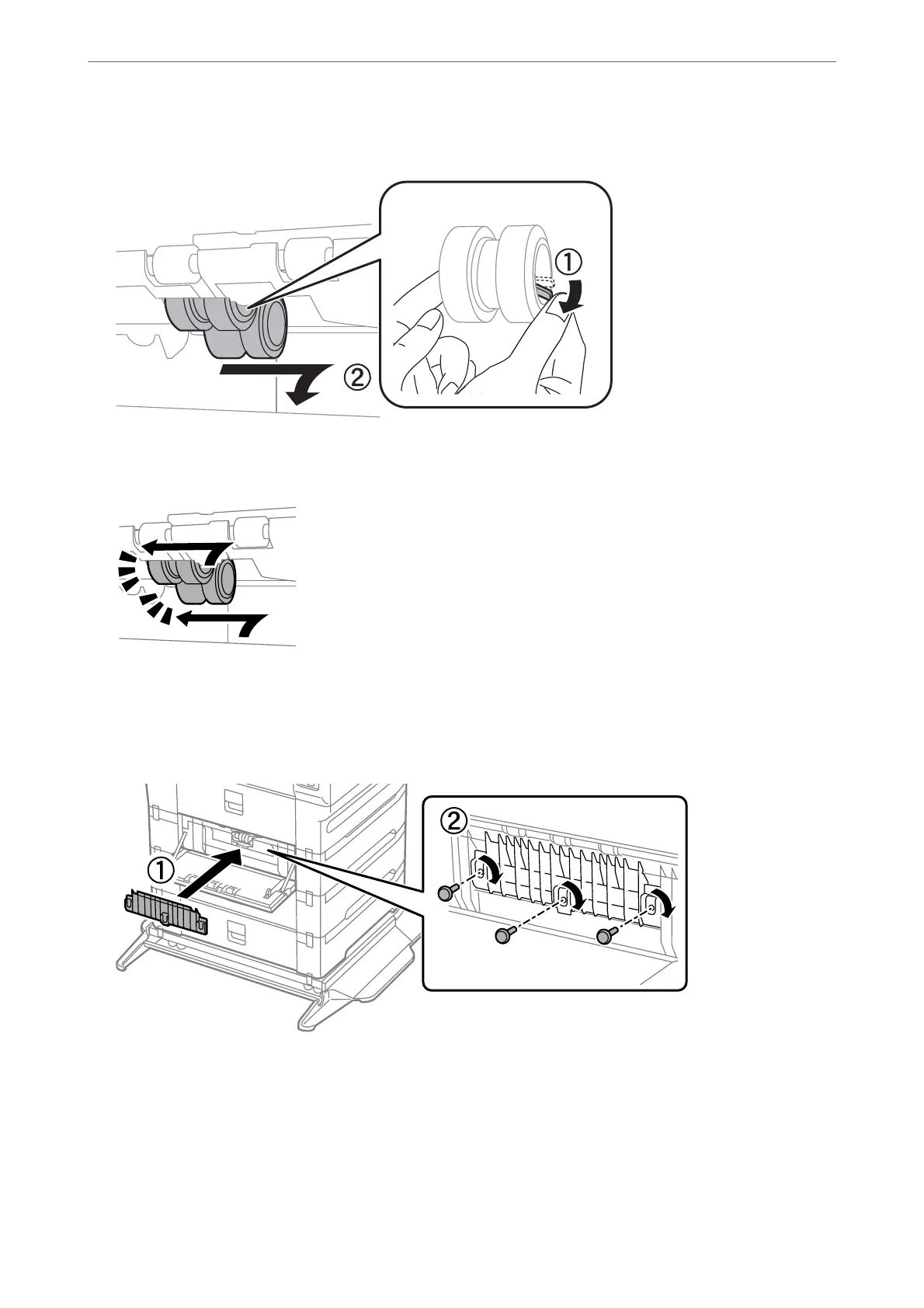
Slide out two used maintenance rollers, and remove both of them.
7.
Insert two new maintenance rollers until they click into place.
Note:
Insert the maintenance rollers by rolling them so that you can insert them smoothly.
8.
Fasten the screws to reattach the cover.
Maintaining the Printer
>
Replacing Maintenance Rollers in Paper Cassette 2 to 4
193



 To Next Page
 Loading...












