Messages and Solutions on the Network Connection Report
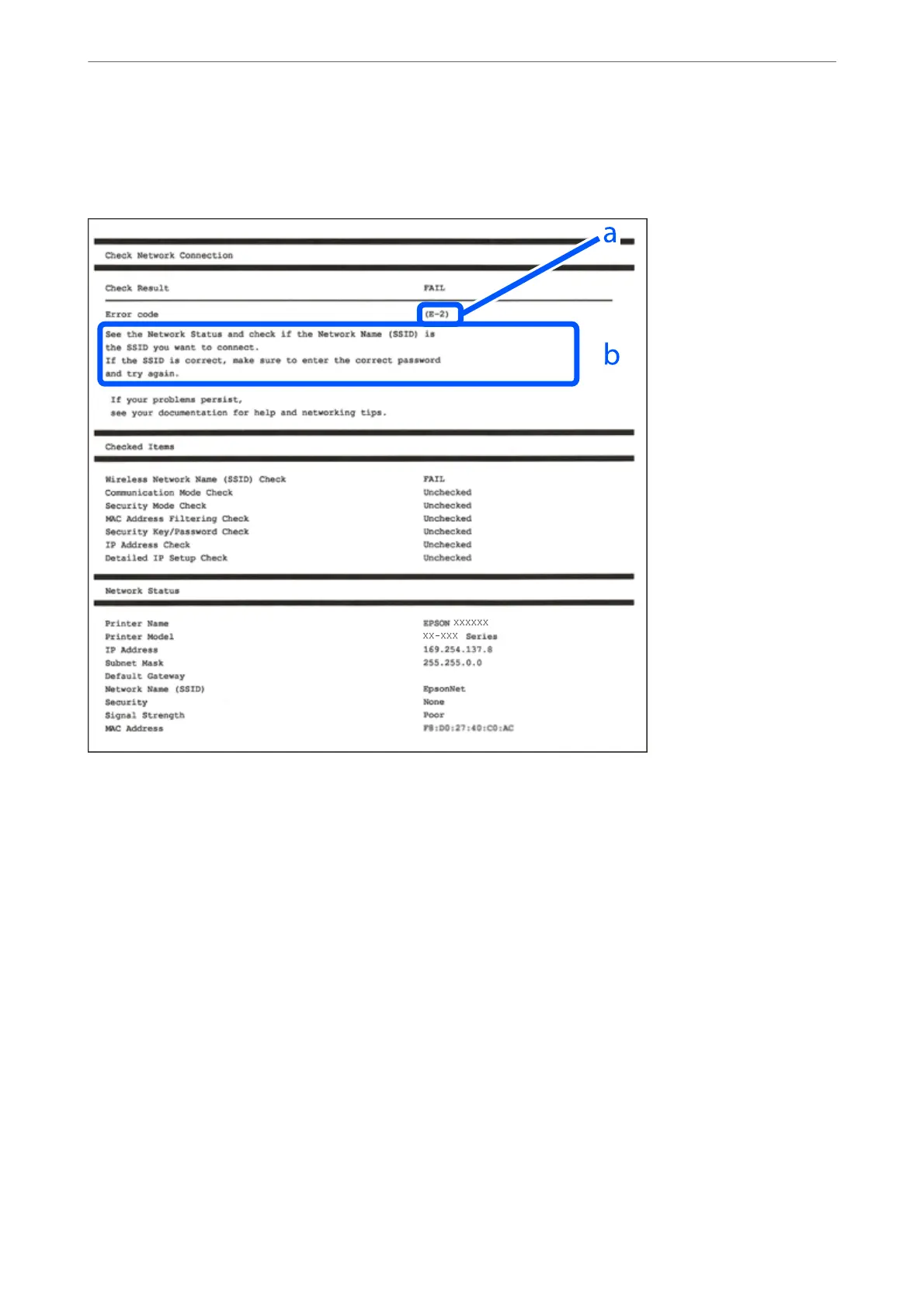
Check the messages and error codes on the network connection report, and then follow the solutions.
a. Error code
b. Messages on the Network Environment
Related Information
& “E-1” on page 308
& “E-2, E-3, E-7” on page 308
& “E-5” on page 309
& “E-6” on page 309
& “E-8” on page 309
& “E-9” on page 310
& “E-10” on page 310
& “E-11” on page 310
& “E-12” on page 311
& “E-13” on page 311
& “Message on the Network Environment” on page 312
Adding or Replacing the Computer or Devices
>
Checking the Network Connection Status
>
Printi
…
307



 To Next Page
 Loading...












