127
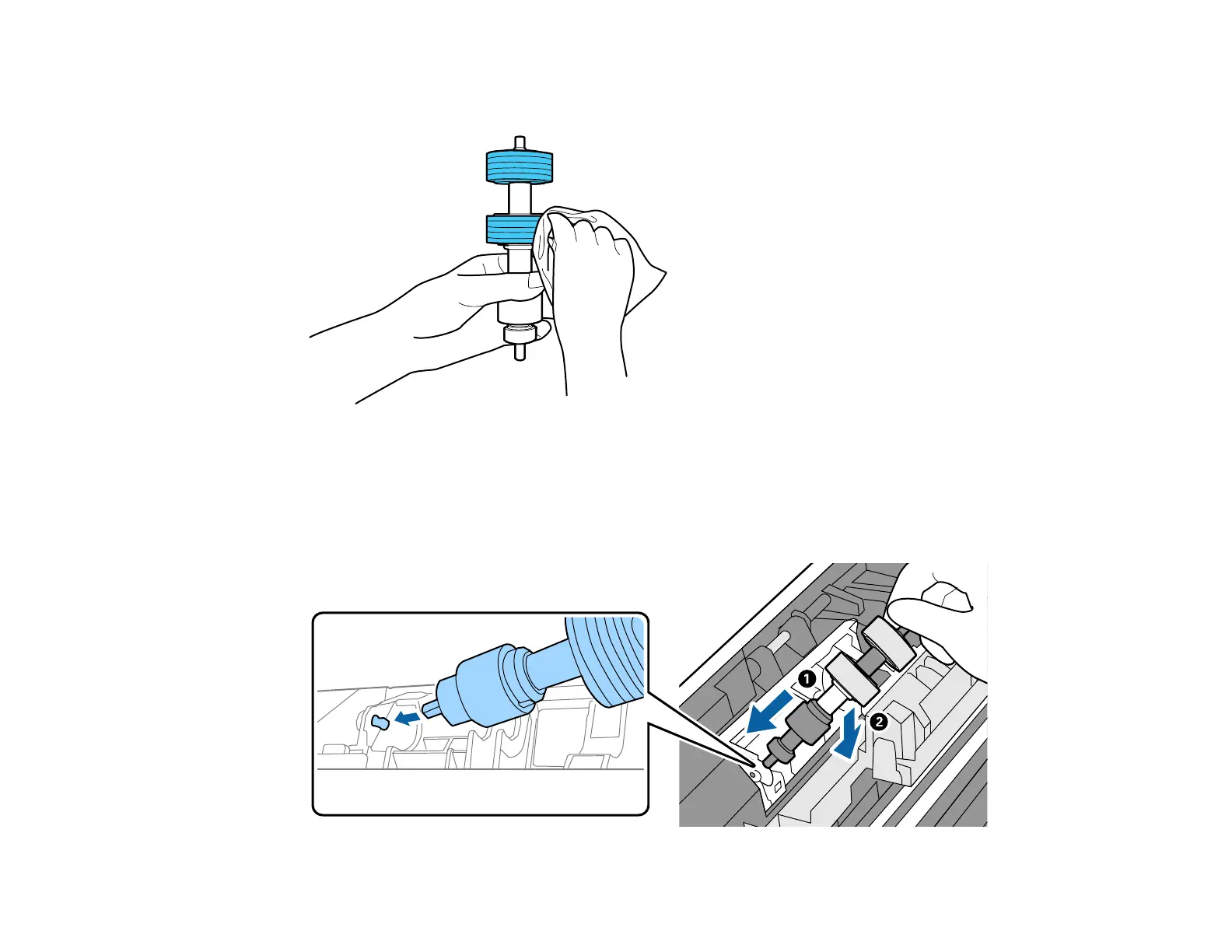
9. Wipe off any dust or dirt on the separation roller using a genuine Epson cleaning kit or a soft, moist
cloth.
Caution: Use only a genuine Epson cleaning kit or soft, moist cloth to clean the roller; using a dry
cloth may damage the surface of the roller.
10. To replace the separation roller, insert the end of the roller into the hole on the left side and lower the
other end of the roller into place.












 To Next Page