146
• Select on the scanner control panel to slow down the scanning speed.
• Use Automatic Feeding Mode in Epson Scan 2 and scan originals one at a time.
• Use the optional carrier sheet for thin, folded, or irregularly shaped originals.
• If you see a double feed error in the Epson Scan 2 window or the Document Capture Pro window, start
Epson Scan 2, select the Main Settings tab, select the Detect Double Feed setting, and select Off.
Parent topic: Solving Scanning Problems
Related references
Original Document Specifications
Special Original Specifications
Plastic and Laminated Card Specifications
Feed Selector Lever
Related tasks
Loading Originals in the Input Tray
Original Jams in Scanner
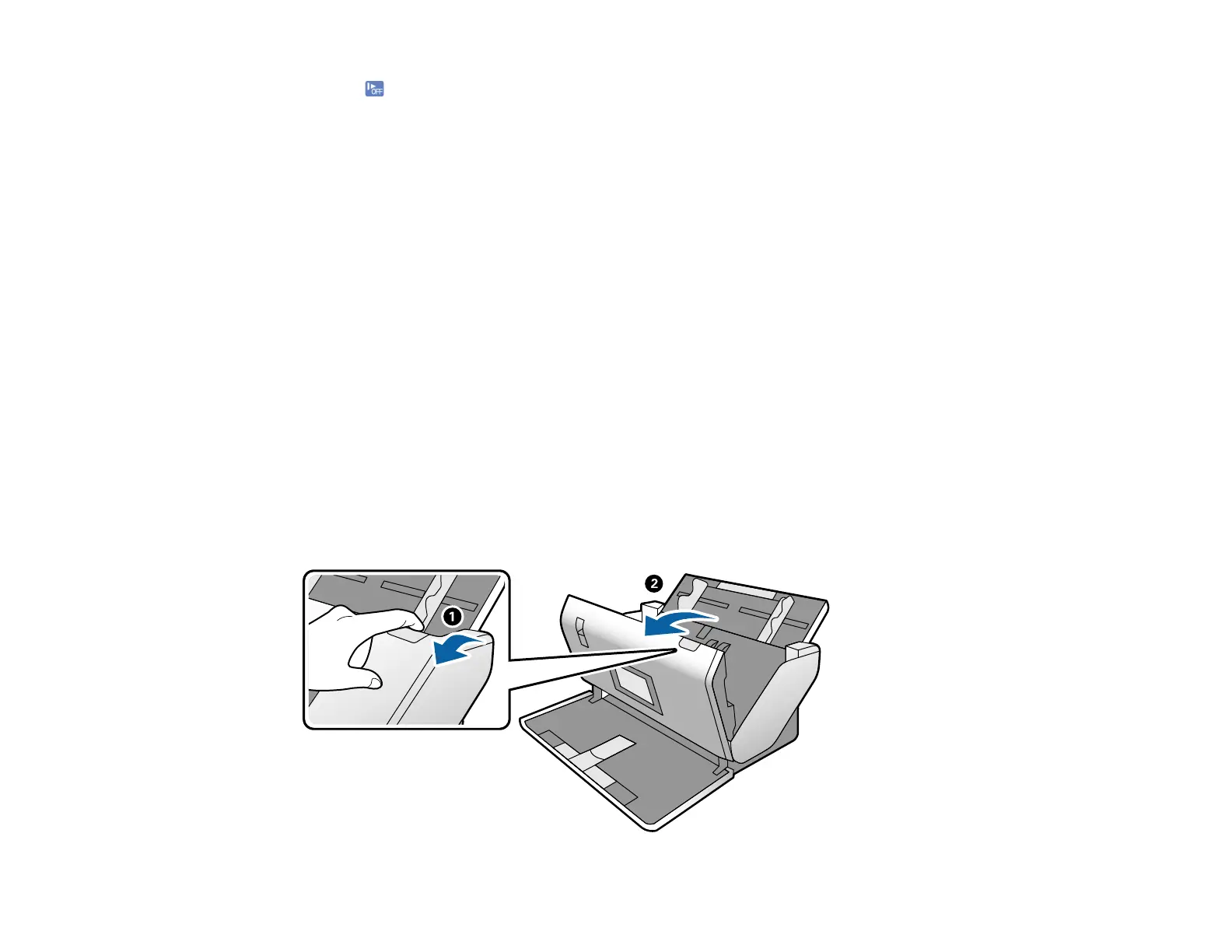
If an original has jammed inside the scanner, follow these steps:
1. Turn off your scanner.
2. Remove all originals from the input tray.
3. Pull down the cover open lever and open the scanner cover.












 To Next Page