133
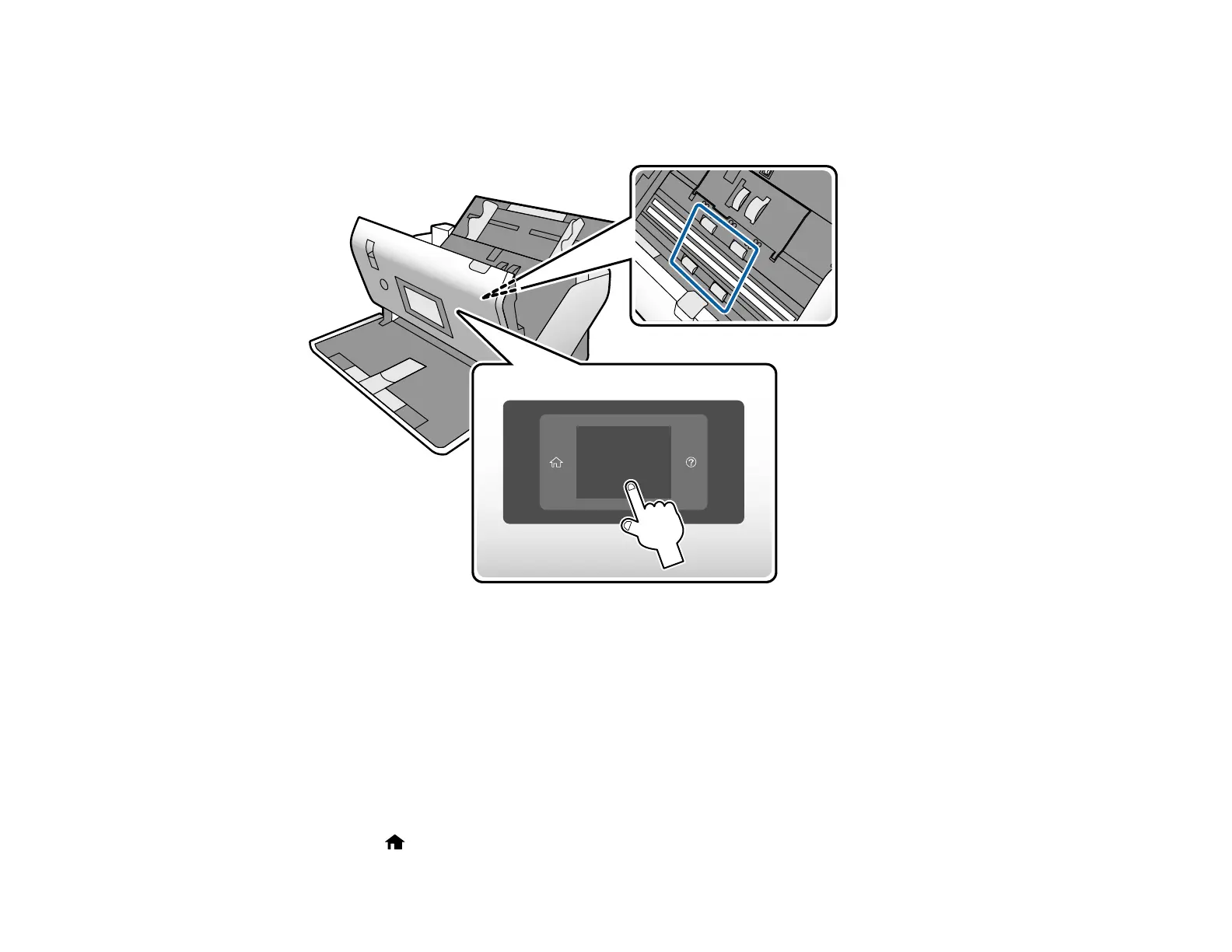
22. Slowly rotate the rollers shown here by tapping anywhere on the LCD screen. Use a genuine Epson
cleaning kit or a soft, moist cloth to wipe off any dust or dirt on the rollers as they rotate. Repeat this
step until the rollers are clean.
Caution: Be careful not to get your hands or hair caught in the rollers as they rotate.
23. Close the scanner cover.
Parent topic: Cleaning and Transporting Your Scanner
Checking the Scanner Roller Counter
The scanner will display a message when it is time to replace the rollers. You can check the scanner
roller counter to determine when your rollers need to be replaced. When you replace the scanner rollers,
reset the scanner roller counter so you know when you may need to replace the rollers again.
1. Press the home button, if necessary.












 To Next Page