137
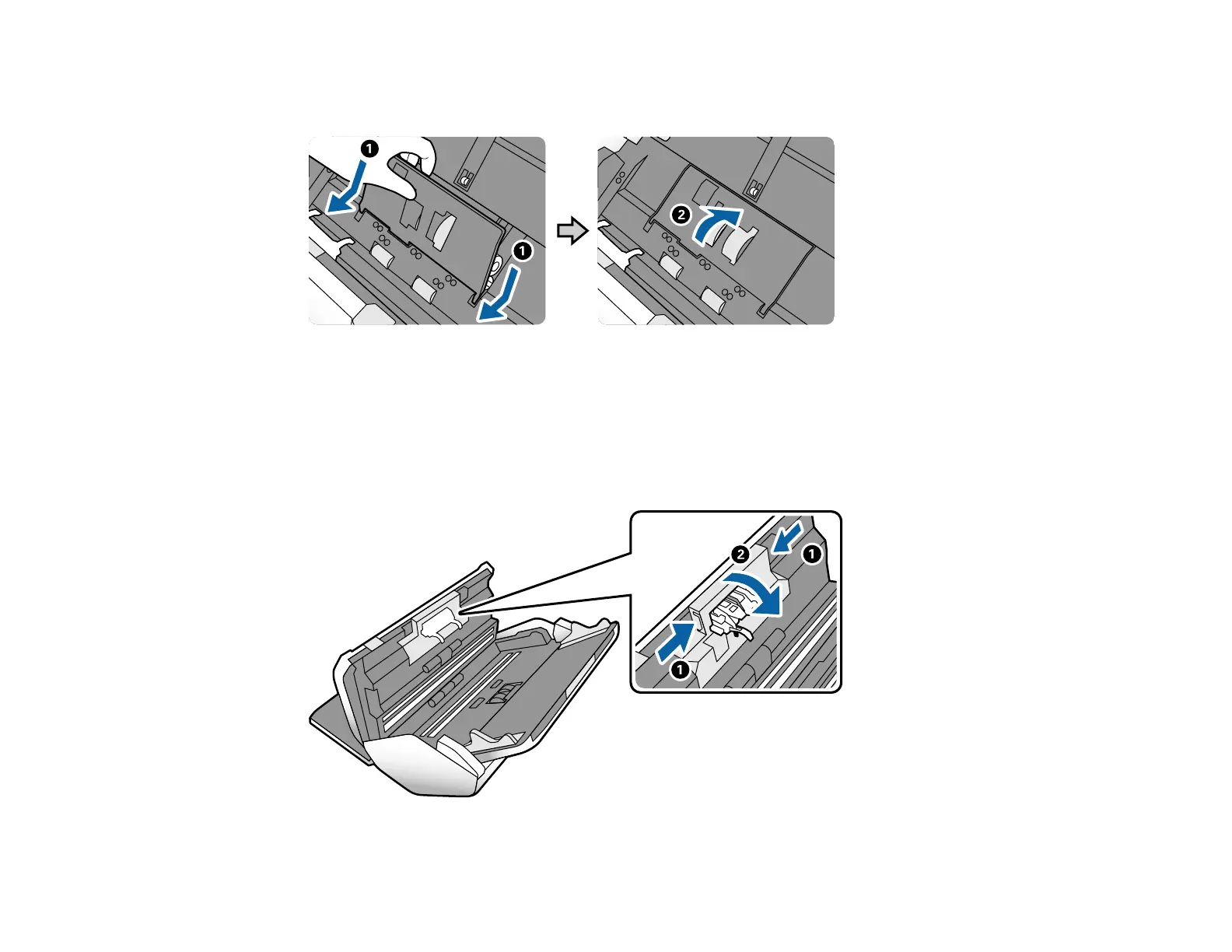
9. Align the bottom edge of the pickup roller cover into the notches as shown and press it down until it
clicks into place.
Note: If you are not able to close the cover, the pickup roller is not installed correctly. Remove the
pickup roller and reinstall it, then try to close the cover again.
10. Squeeze the tabs on the sides of the separation roller cover and open the cover.
Caution: Be careful not to apply too much force when opening the cover.












 To Next Page