16
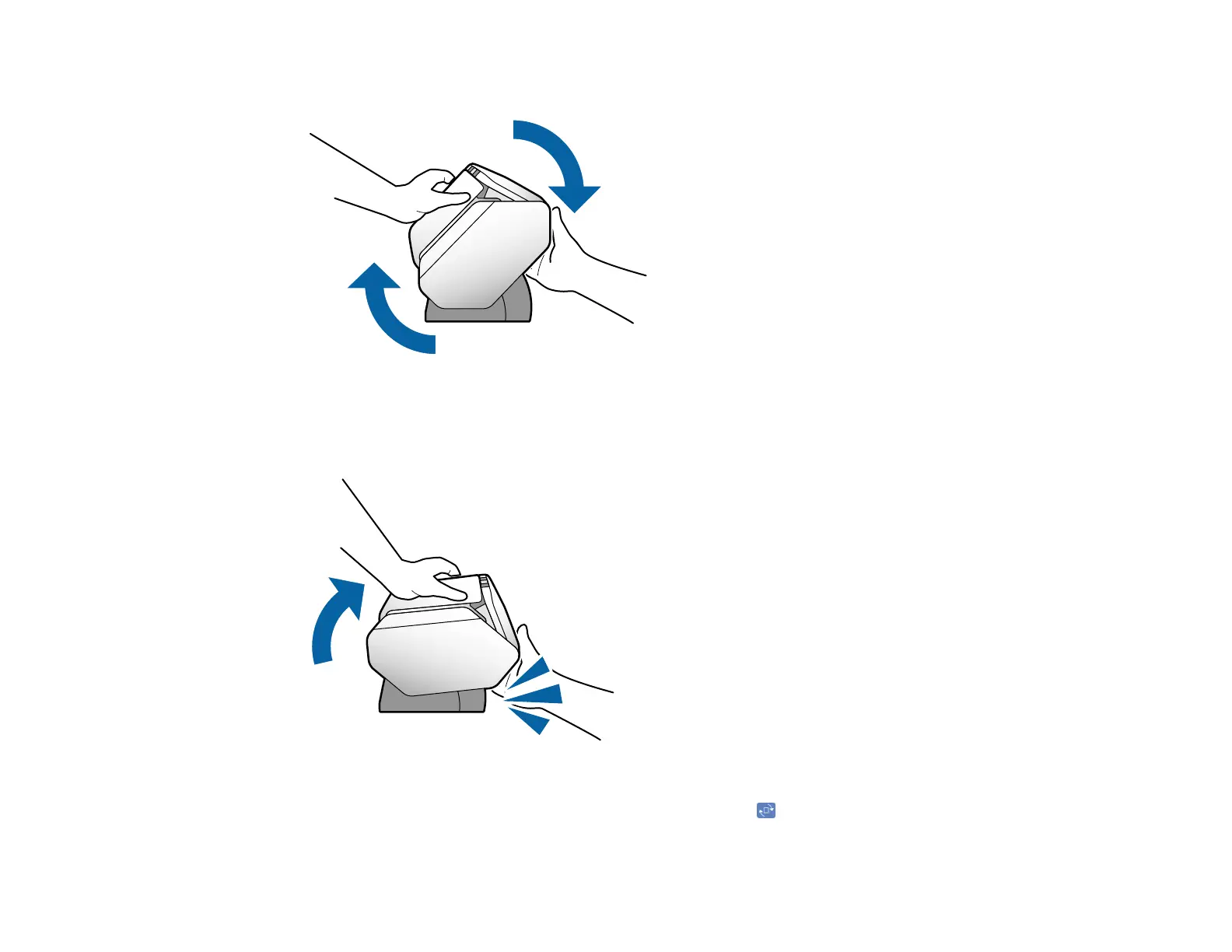
3. Rotate the scanner to the new position.
Note: Do not touch the antistatic brush underneath the output tray.
4. Release the lever and make sure the scanner locks into place.
5. Depending on the position of the feed selector lever, the LCD may prompt you to move the lever to
the correct position. In Delicate Mode, you can also use the icon to rotate the LCD screen.
Parent topic: Scanner Position (DS-32000)












 To Next Page