H
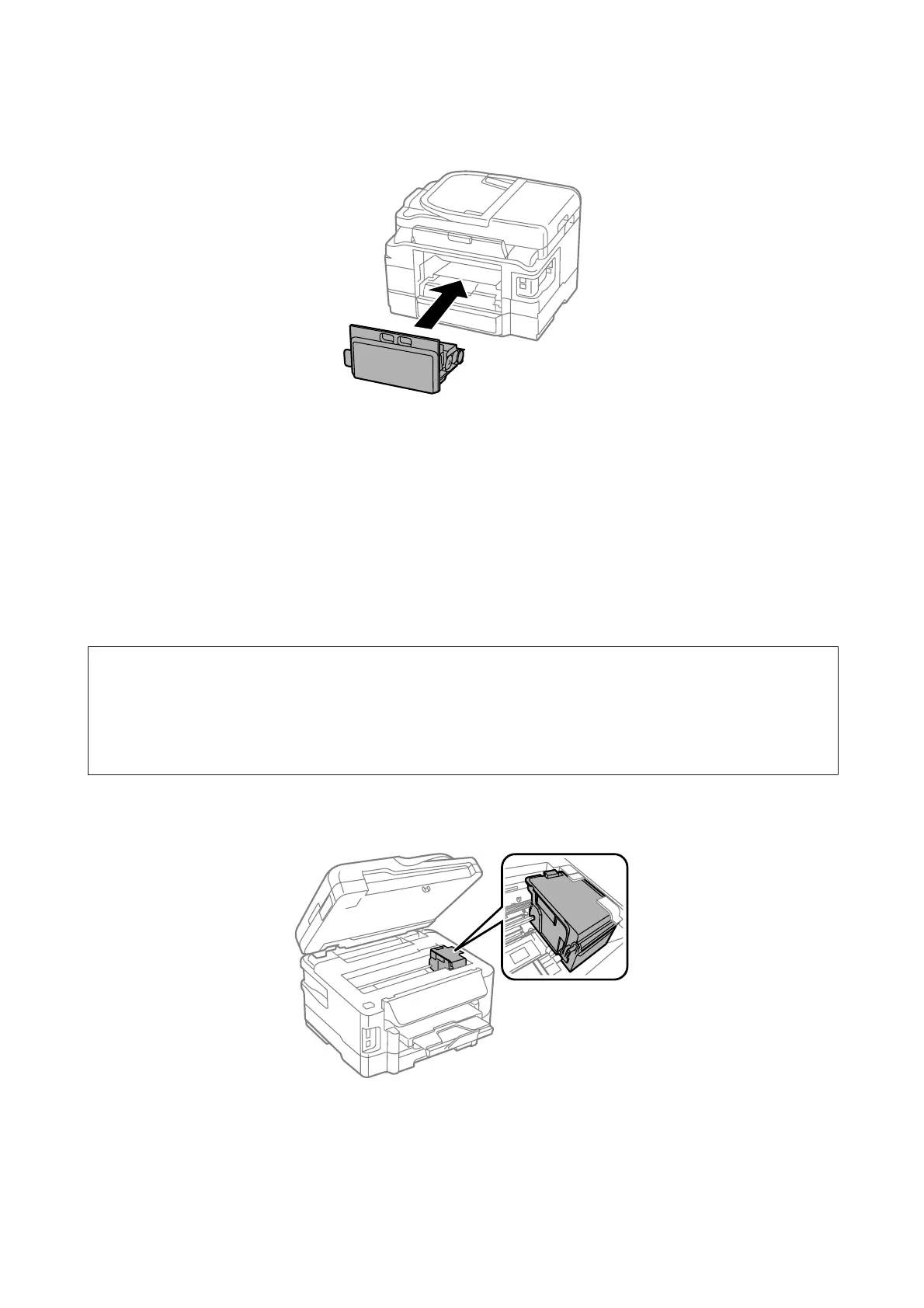
Reattach the rear cover.
I
Press the P button to turn the product back on.
Maintenance box replacement is complete.
Transporting the Product
If you move the product some distance, you need to prepare it for transportation in its original box or one of a similar
size.
c
Important:
❏ When storing or transporting the product, avoid tilting it, placing it vertically, or turning it upside down;
otherwise ink may leak.
❏ Leave the ink cartridges installed. Removing the cartridges can dry out the print head and may prevent the product
from printing.
A
Plug in the product and turn it on. Wait until the ink cartridge holder returns to the home position, then close
the scanner unit slowly.
B
Turn off the product and unplug its power cord.
C
Disconnect all other cables from the product.
User’s Guide
Maintaining Your Product and Software
128













 To Next Page