❏ Rotate your original document.
❏ Rotate the scanned image using the application software after scanning.
❏ Select the Descreening check box.
❏ In Professional Mode, change a resolution setting and scan again.
Uneven color, smears, dots, or straight lines appear in your image
You may need to clean the interior of the product.
& “Cleaning the Product” on page 124
The scanning area or direction is unsatisfactory
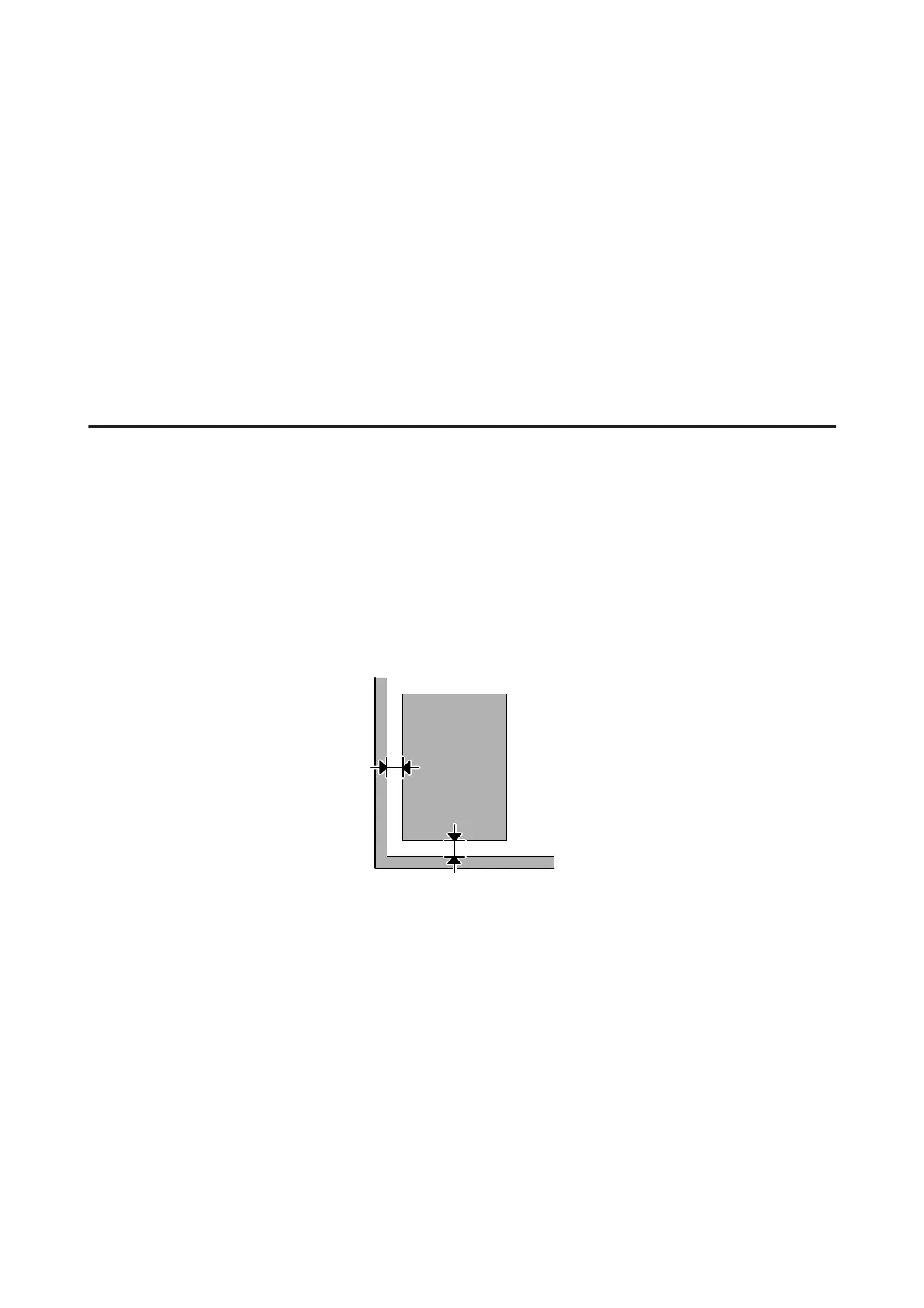
The edges of your original are not scanned
❏ If you are scanning using thumbnail preview in Home Mode or Professional Mode, move the document or photo
6 mm (0.2 inch) away from the horizontal and vertical edges of the scanner glass to avoid cropping.
❏ If you are scanning using the button or using normal preview in Office Mode, Home Mode, or Professional Mode,
move the document or photo about 3 mm (0.12 inch) away from the horizontal and vertical edges of the scanner
glass to avoid cropping.
User’s Guide
Troubleshooting for Scanning
164













 To Next Page