Scanning in Office Mode
Office Mode lets you quickly scan text documents without previewing your image.
Note:
See the Help for more details on Epson Scan.
A
Place your original(s).
& “Placing Originals” on page 32
Note for the Automatic Document Feeder (ADF):
Do not load paper above the line just under the d arrow mark on the ADF.
B
Start Epson Scan.
& “Starting Epson Scan Driver” on page 76
C
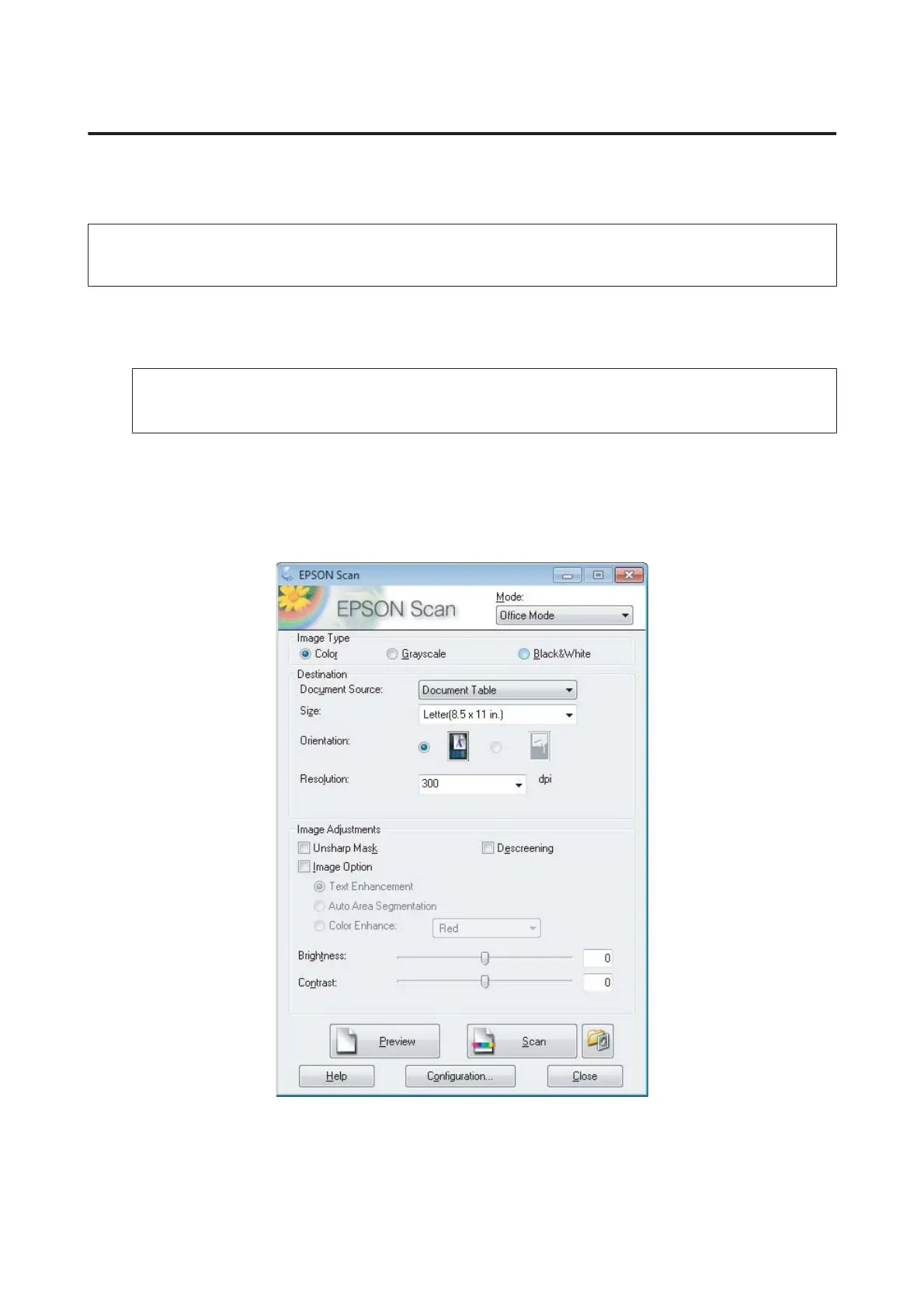
Select Office Mode from the Mode list.
D
Select the Image Type setting.
E
Select the Document Source setting.
User’s Guide
Scanning
64













 To Next Page