Note:
The printable side is often whiter or brighter than the other side.
D
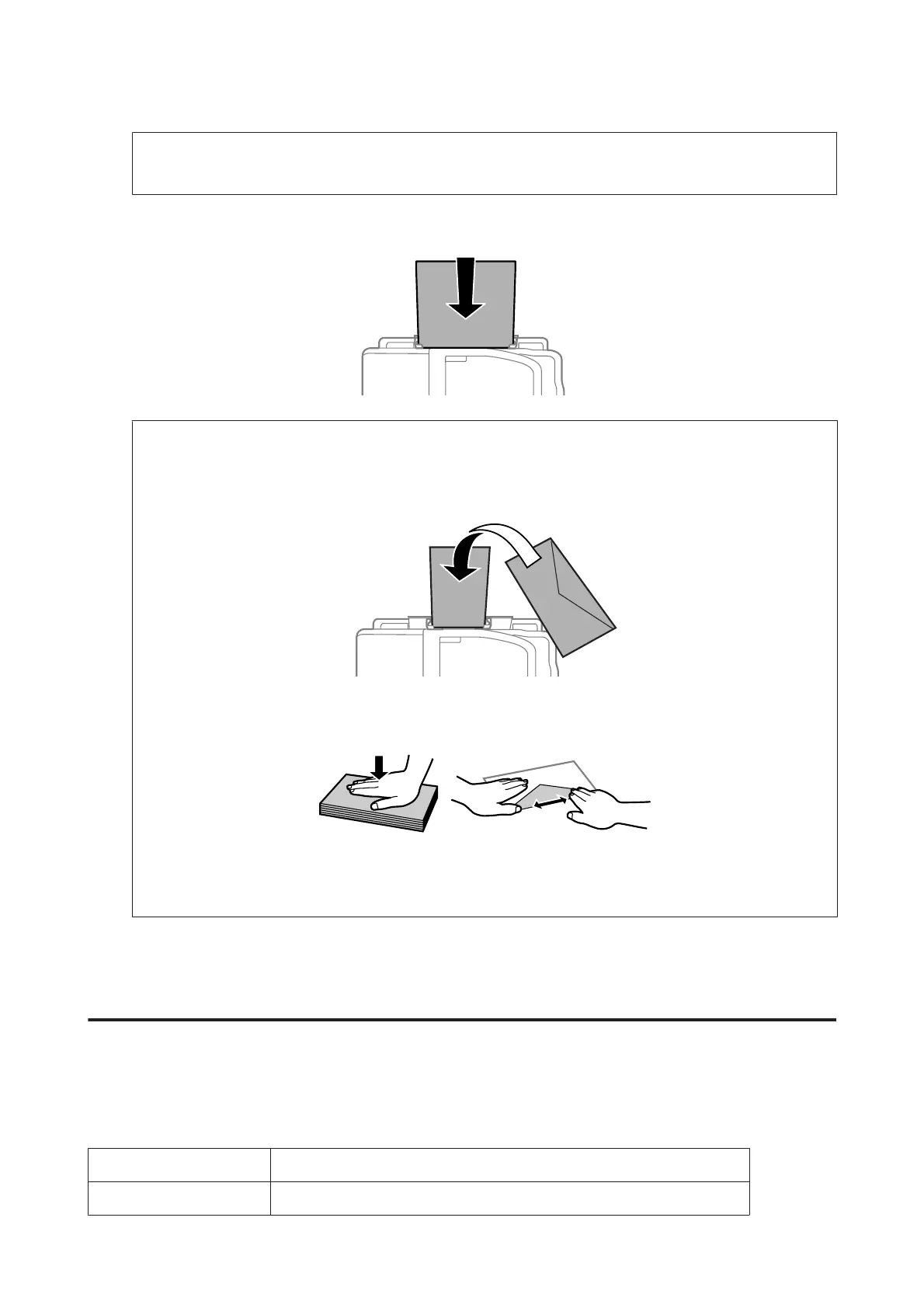
Insert the paper into the rear paper feed slot. The paper is automatically fed.
Note:
❏ You can use the following sizes of paper with binding holes: A4, A5, Legal, Letter. Automatic 2-sided printing is
not available.
❏ When loading envelopes, load the short edge first with the flap facing down.
❏ Do not use envelopes that are curled or folded.
❏ Flatten the envelope and the flaps before loading.
❏ Flatten the leading edge of the envelope before loading.
❏ Avoid using envelopes that are too thin, as they may curl during printing.
Placing Originals
Automatic Document Feeder (ADF)
You can load your original documents in the Automatic Document Feeder (ADF) to copy, scan, or fax multiple pages
quickly. The ADF can scan both sides of your documents. To do so, select the option in the copy setting menu. You can
use the following originals in the ADF.
Size A4/Letter/Legal
Type Plain paper
User’s Guide
Paper and Media Handling
32













 To Next Page