C
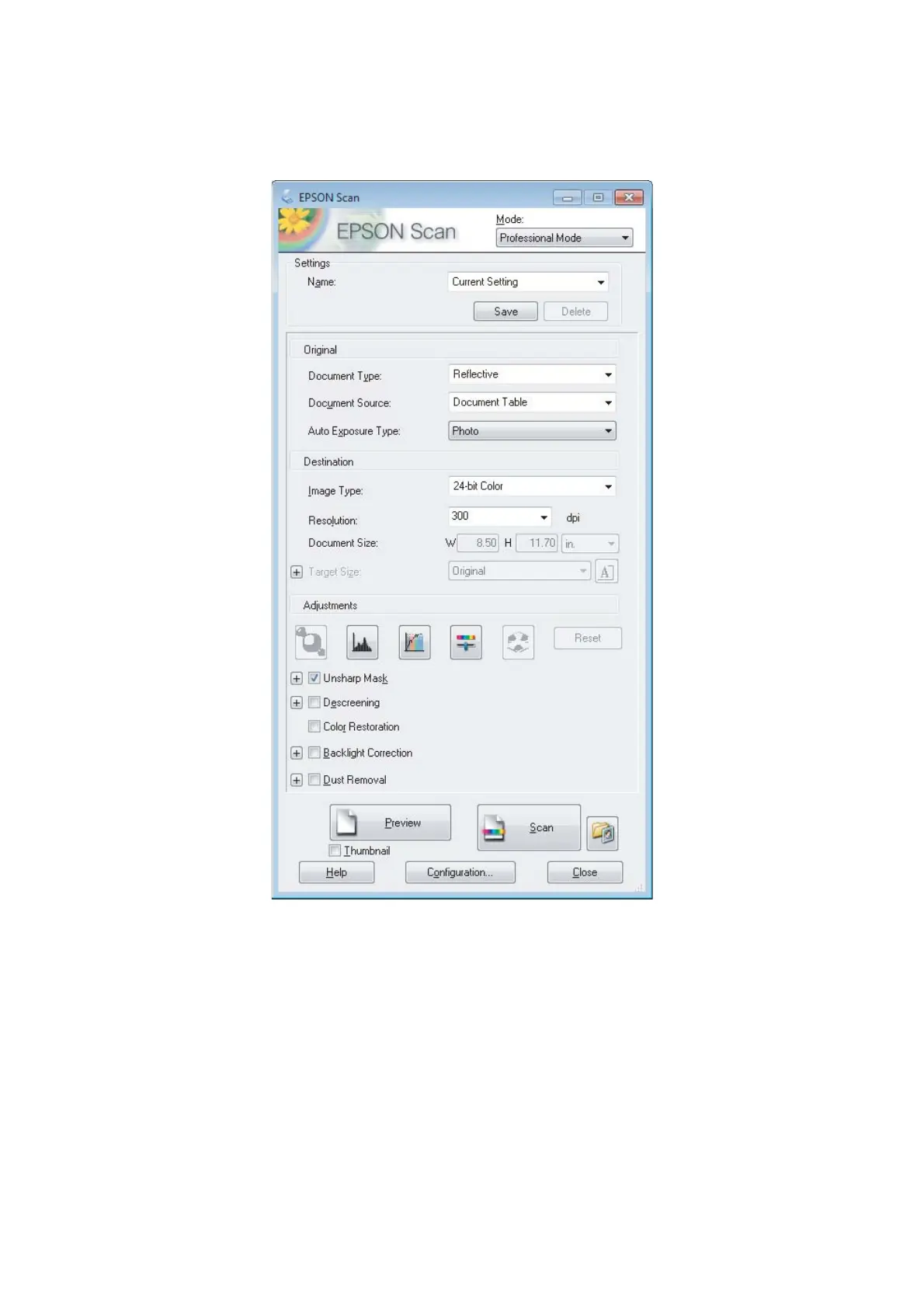
Select Professional Mode from the Mode list.
D
Select the type of original(s) you are scanning as the Document Type setting.
E
Select the Document Source setting.
F
If you select Reflective as the Document Type setting, select Photo or Document as the Auto Exposure Type
setting.
G
Select the Image Type setting.
H
Select an appropriate resolution for your original(s) as the Resolution setting.
User’s Guide
Scanning
66













 To Next Page