Information for service staff
09/2022 1028657-00A Installation instructions – 13/58
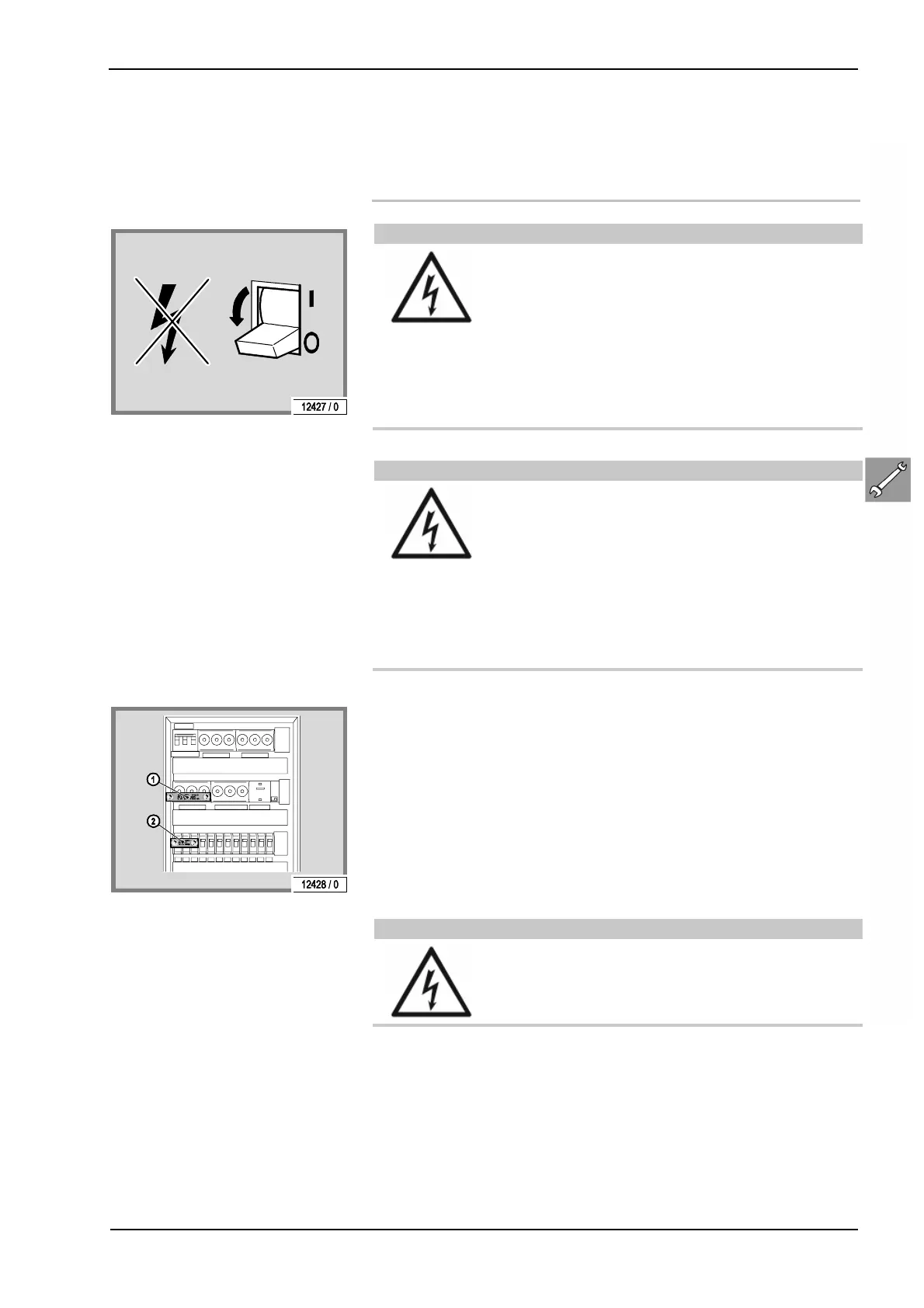
3.6 Disconnect the device from the
power supply and ensure that it
cannot be switched on again
Electricity throughout entire device!!
If work is to be performed on the devices, dis-
connect them from the power supply. T
that all live cabling must be switched off.
– Switching off the device alone is insufficient,
as certain points may still be live. Therefore,
switch off all fuses before performing any
work and – if possible – remove them.
Personal danger due to electric shock!
Severe accidents can occur if unintentionally
switched on again.
Immediately after disconnecting from the power
supply, ensure all switches or fuses used to dis-
connect the power supply cannot be switched on
again.
– Lock the fuse box with a padlock.
In case of circuit breakers which cannot be unscrewed, a strip
of adhesive tape may be applied over the actuation lever with
the wording 'Do not switch, danger!' (1 + 2).
A prohibition sign with the text: 'Work in progress!'
'Place: ..............................'
'Sign may only be removed by: ............'
must always be securely mounted immediately.
Personal danger due to electric shock!
Prohibition signs must not be fixed to or come
into contact with live parts











 To Next Page