Clarity Edge Install Guide
•
•
•
•
•
•
1.
2.
3.
4.
5.
6.
Mounting Clarity Edge
Clarity Edge is an AI-assisted dashcam that requires cm/inch-level precision on its mount location, to detect
driving-related issues accurately.
The mount sticks to:
the middle of the front windshield
around the rearview mirror area
above the horizontal midline.
On flat ground, installers could use a spirit level or reliable digital app for alignment assistance.
Site position
The optimum site position is:
HORIZONTAL: Within 50mm (2in) of the windshield’s midline. (Within 150mm (6in) is supported.)
VERTICAL: Approximately 20 cm (8 in) below the topmost sweep-edge of the windshield wipers, OR
windshield tint visor, whichever is lowest
PROXIMITY: Ideally, within 116cm (46 in) from the driver’s face.
Avoid installing other electronic devices around the unit, like intelligent rearview mirrors or electronic tags.
Mount orientation
Clean the intended installation area with the IPA wipe.
Rewipe with a clean cloth, to remove any IPA residue.
Remove the 3M adhesive backing tape.
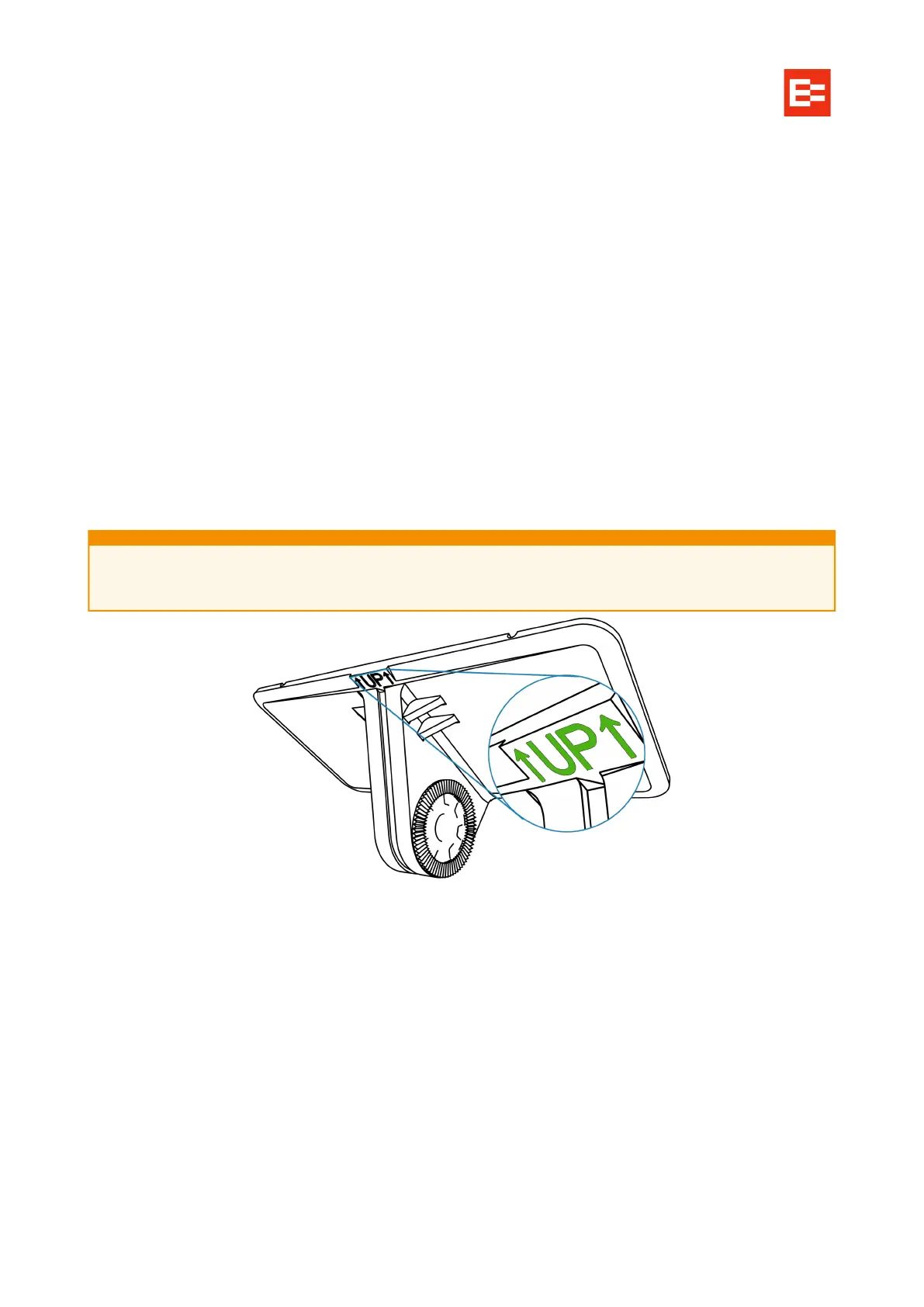
Align the long ‘UP’ edge horizontally, and press the bracket into the windshield for 10s such that no
air bubbles are trapped between the windshield and bracket.
Connect the unit to the bracket with the front side facing inward (teeth on the right side of the bracket
engaged with those on the right inner side of the unit).
Orient the unit so its top is level. Tighten the bracket stud with a PH2 Phillips screwdriver.
Accurate placement and positioning measurements are crucial, or the unit could generate
inaccurate lane departure warnings or similar.



 To Next Page