Clarity Edge Install Guide
1.
a.
b.
•
•
•
•
Camera cards
SIM cards
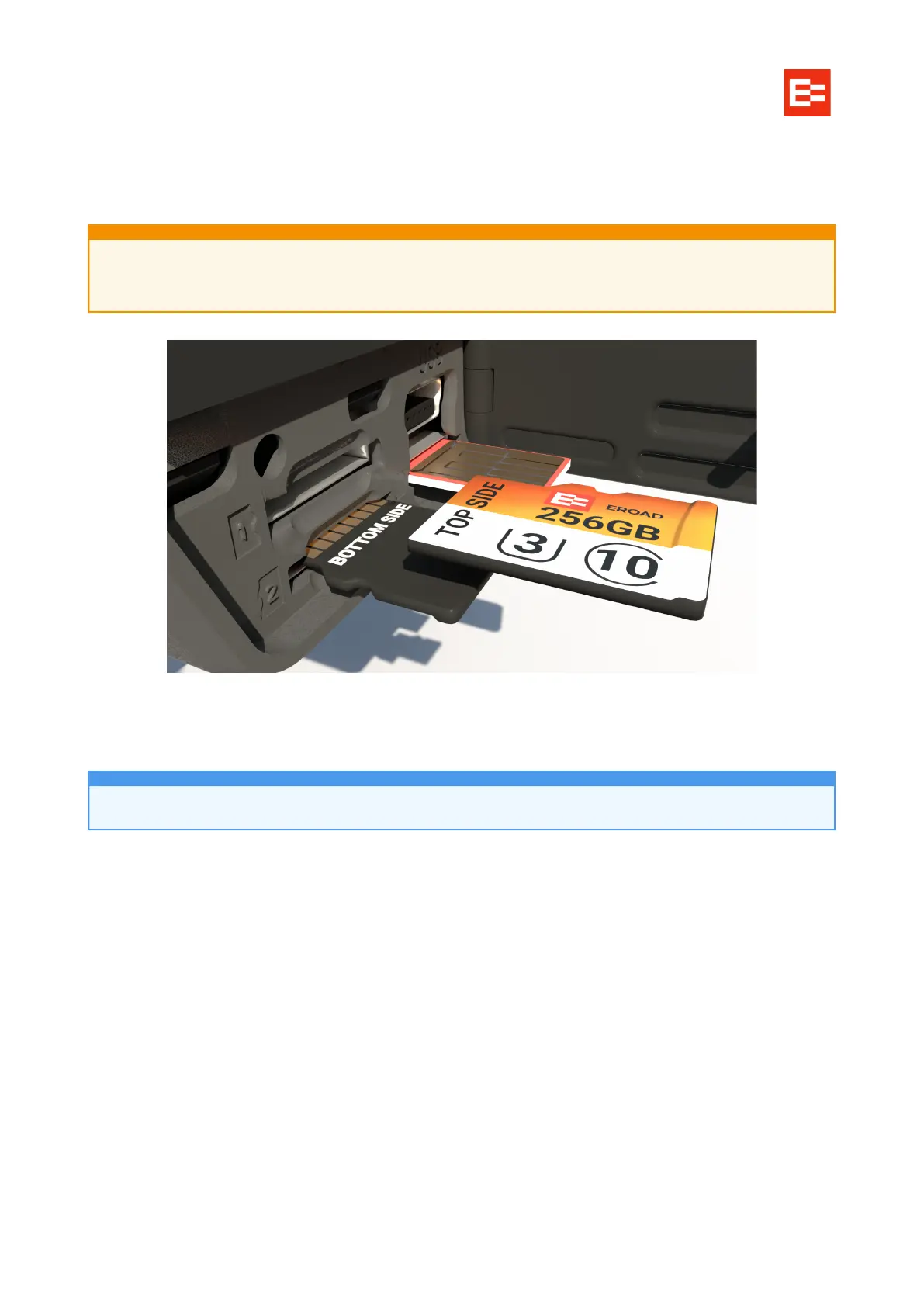
Bottom cards: gold contacts up.
MiniSD cards
Slot 1 MiniSD cards are for day-to-day writing/recording of trips. Typically, these cards are 128GB or greater.
Slot 2 MiniSD cards are for low-res backups of requested or triggered/archived video. These cards are
typically smaller - between 32–128GB.
If EROAD-approved cards are not present, cards must be:
Type SDXC
Class 10 / UHS-I / V30
Of a capacity specified in the job order.
Use the supplied Torx screwdriver to unscrew the card slot door.
Seat the cards.
Close and screw the door closed when finished.
Remove the protective film on the lenses and the LED panel.
SIM cards can be inserted incorrectly, yet feel correct.
Gold-side up, trimmed corner edge inserted first.
Usually, Clarity Edge units are shipped with SD cards pre-installed.



 To Next Page