Clarity Edge Install Guide
Cable routing
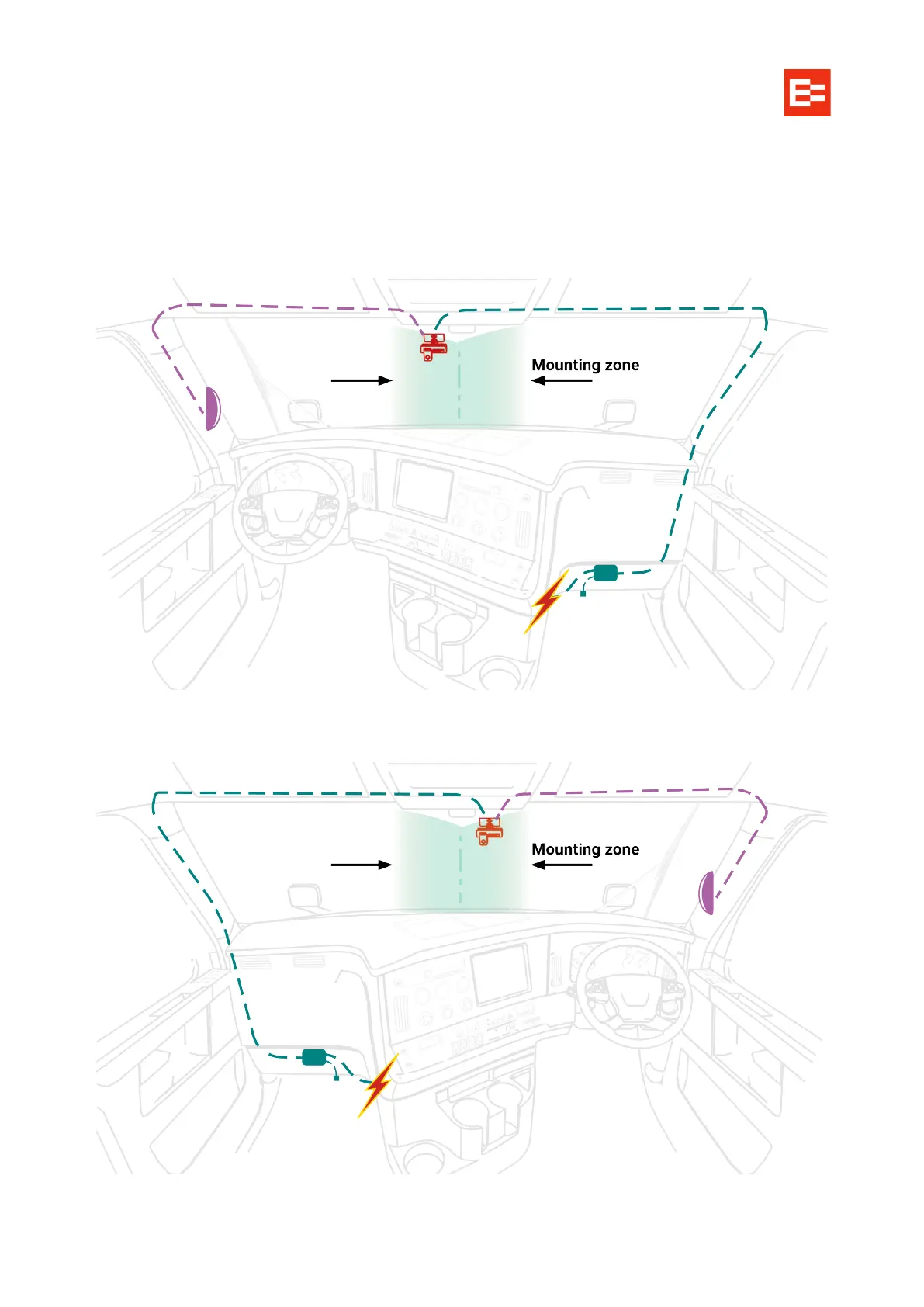
The following image shows the basic route of the unit’s loom from the mounting location, under the roof and
passenger-side A-pillar trim, to behind the dash. It also shows the basic cable routing of the optional fatigue
camera, up behind the opposite A-pillar trim to the unit, and the optional button for remote triggering a
recorded clip, mounted on a dash blank.
Left-hand Drive routing
Right-hand Drive routing for NZL, AUS, CAN



 To Next Page