SpiroSphere
®
ECG Instructions for Use
Page 19/136
Version 02.02 • 04AUG2022
The Home Screen
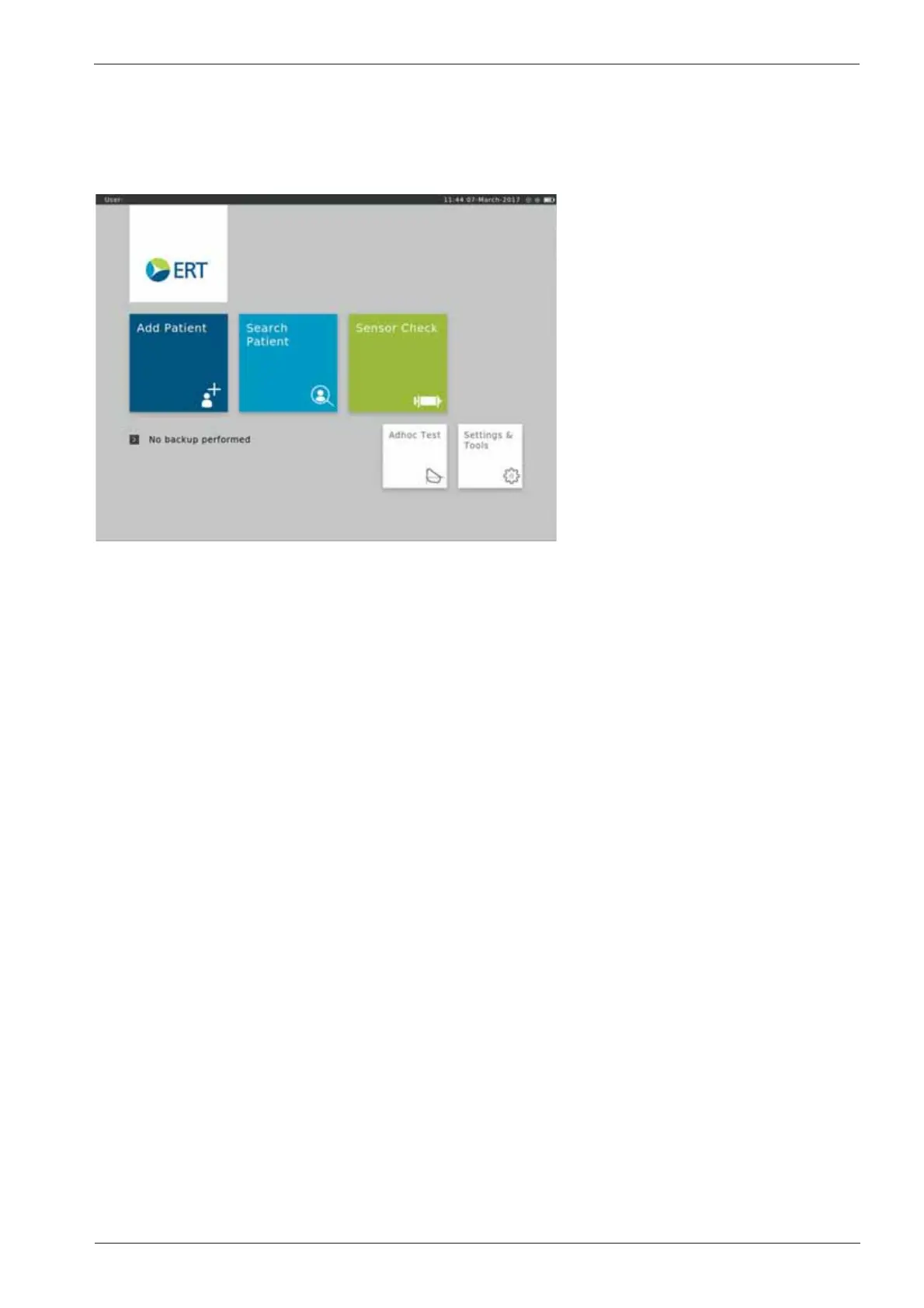
After the SpiroSphere has been set up, upon powering on the device the following screen appears:
Here, you can select the submenus "Add Patient", "Search Patient", "Sensor Check", "Adhoc
Test" as well as "Settings and Tools" by tapping on the respective button.
Add Patient Enter patient data for a new patient into your patient directory and start a
test.
Search Patient Search for a specic patient in your patient directory. Select a specic
patient from the list to perform a test or to edit his/her data.
Sensor Check Perform a volume or linearity check.
Adhoc Test Immediately perform a test without entering patient data or searching for a
specic patient rst.
Settings & Tools Change settings.


 To Next Page