SpiroSphere
®
ECG Instructions for Use
Page 40/136
Version 02.02 • 04AUG2022
Adhoc Test
With the Adhoc Test application it is possible to perform a Spirometry measurement without
having to register the patient beforehand.
For example: An Adhoc test can be performed if a prompt measurement of a patient is urgently
required (e.g. in an emergency situation).
It is possible to assign the measurements performed to a patient after the measurement has been
completed or at some point later.
Perform an Adhoc Test
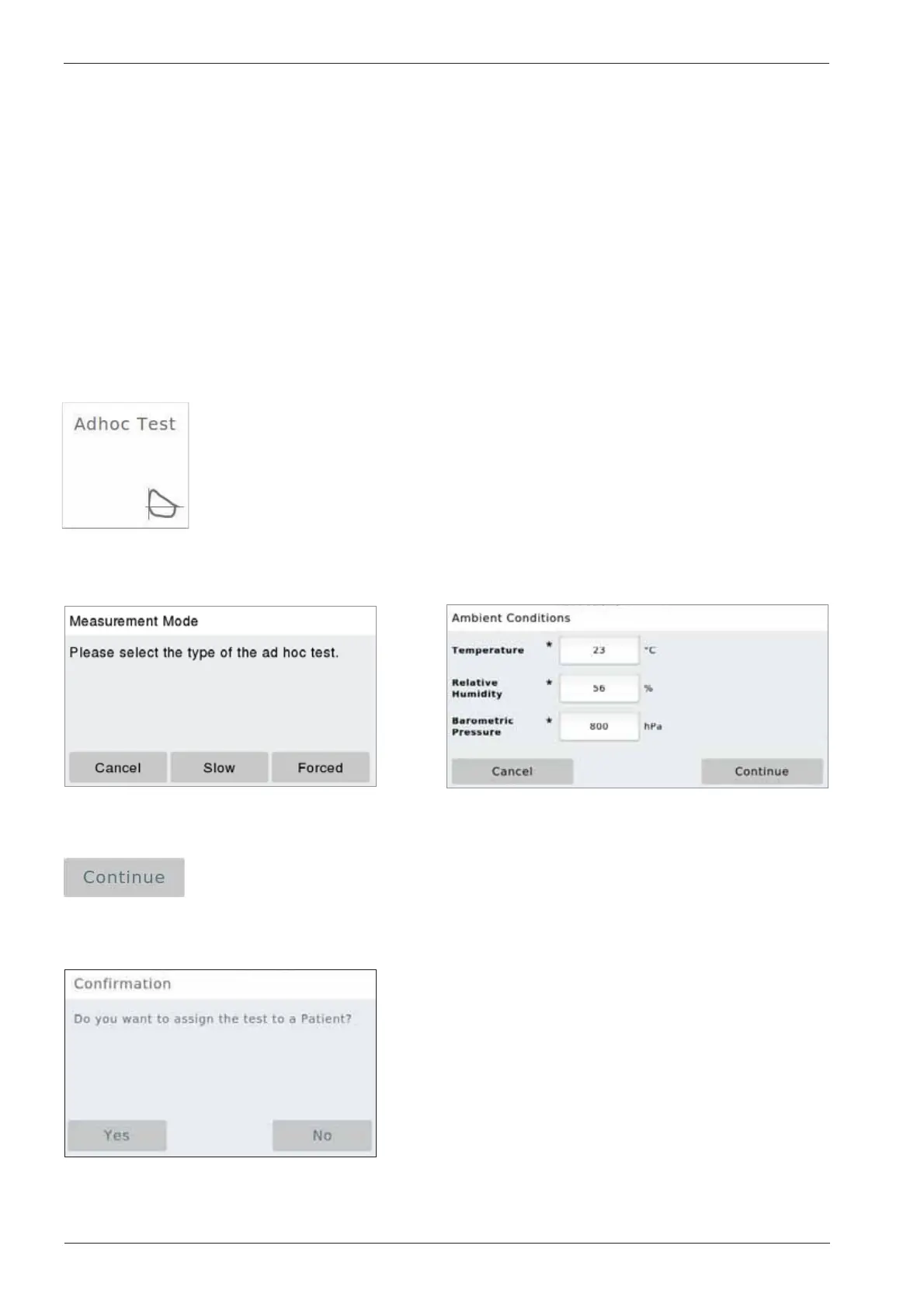
Tap on the "Adhoc Test" eld on the Home Screen.
The "Ambient Conditions" window appears and
zeroing occurs:
Tap on <Continue> to apply the ambient data entered and perform three
successive "Forced Spirometry" maneuvers as described. Once the test is
completed, the following window appears:
Please select the measurement mode.
"Slow" or "Forced" spirometry:


 To Next Page