SpiroSphere
®
ECG Instructions for Use
Page 75/136
Version 02.02 • 04AUG2022
ECG Settings
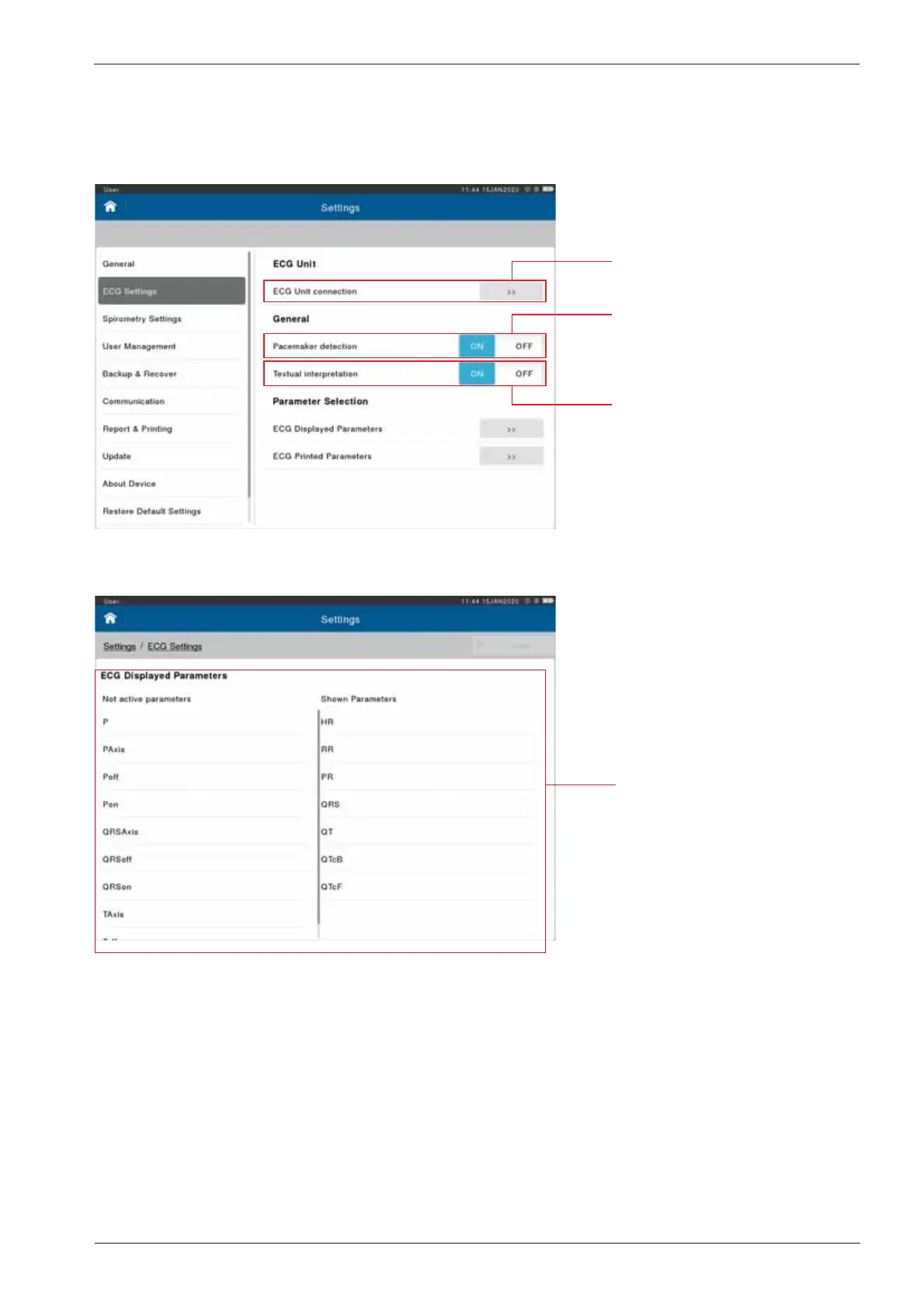
Settings for ECG can be found under “ECG Settings”:
ECG Displayed Parameters:
Up to seven (7) parameters
can be selected for display
during an ECG measurement.
They can be added or removed
in this section, by either double
tapping or dragging across the
respective parameter to either
Not active (not shown), or
Shown Parameters
ECG Unit connection: Activate,
Pair or Unpair an ECG Unit
Pacemaker detection: ON/OFF:
Enables or disable check for
Possible Pacemaker
Textual interpretation: ON/OFF:
Enables or disables printing
of the ECG computerised
interpretation


 To Next Page