SpiroSphere
®
ECG Instructions for Use
Page 78/136
Version 02.02 • 04AUG2022
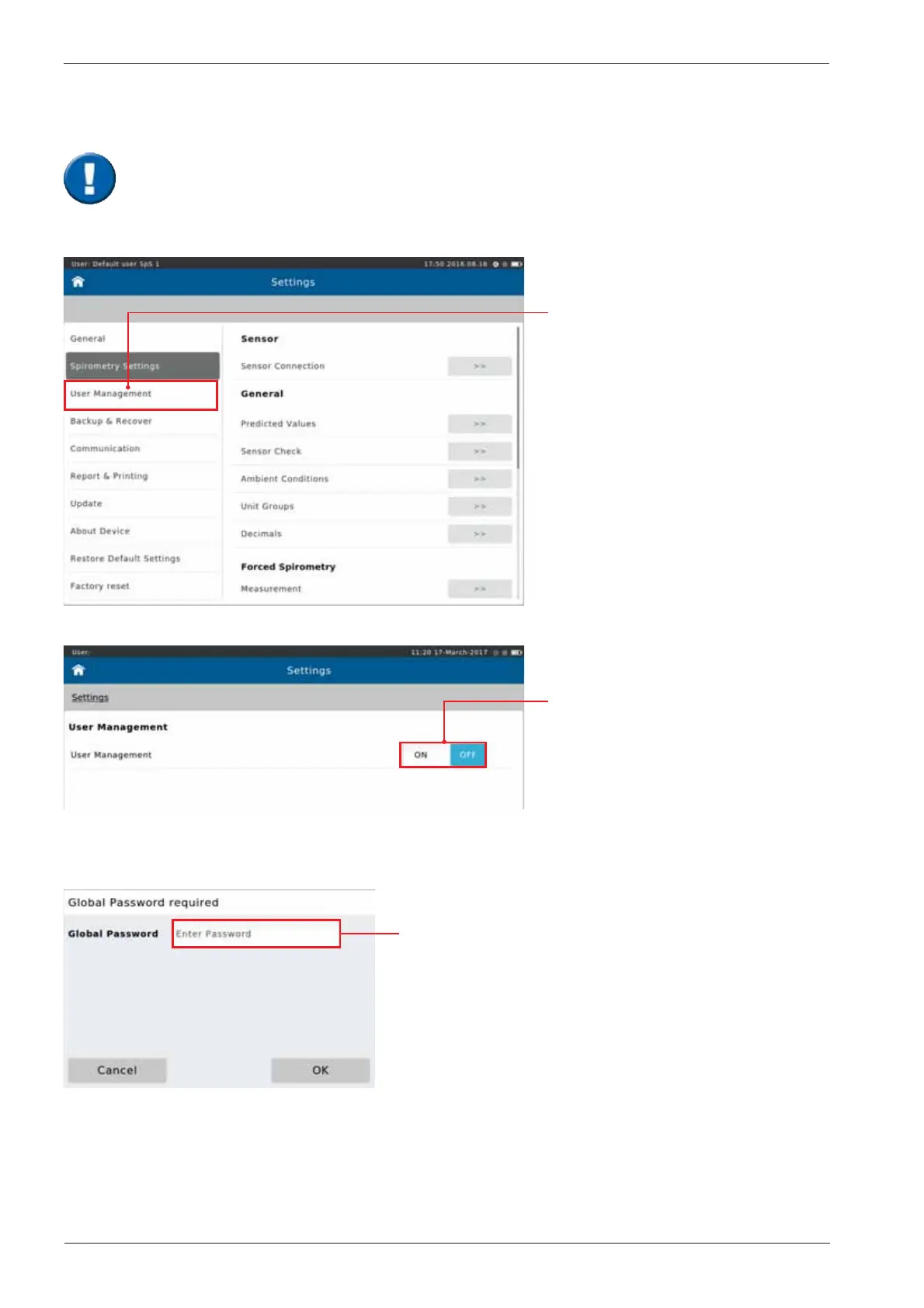
From "Settings" select
"User Management"
This tool enables an authorized person to create an Administrator account. The newly
created administrator will then be able to create additional accounts for individuals
authorized to work with the SpiroSphere. Additionally, it is possible to register your
ngerprints in order to utilise the ngerprint reader for system access.
Tap "ON" the switch
to activate User
Management
The following screen appears:
Enter the Global Password (“691982”) and tap <OK>.
User Management


 To Next Page