SpiroSphere
®
ECG Instructions for Use
Page 88/136
Version 02.02 • 04AUG2022
Backup & Recover
Backup
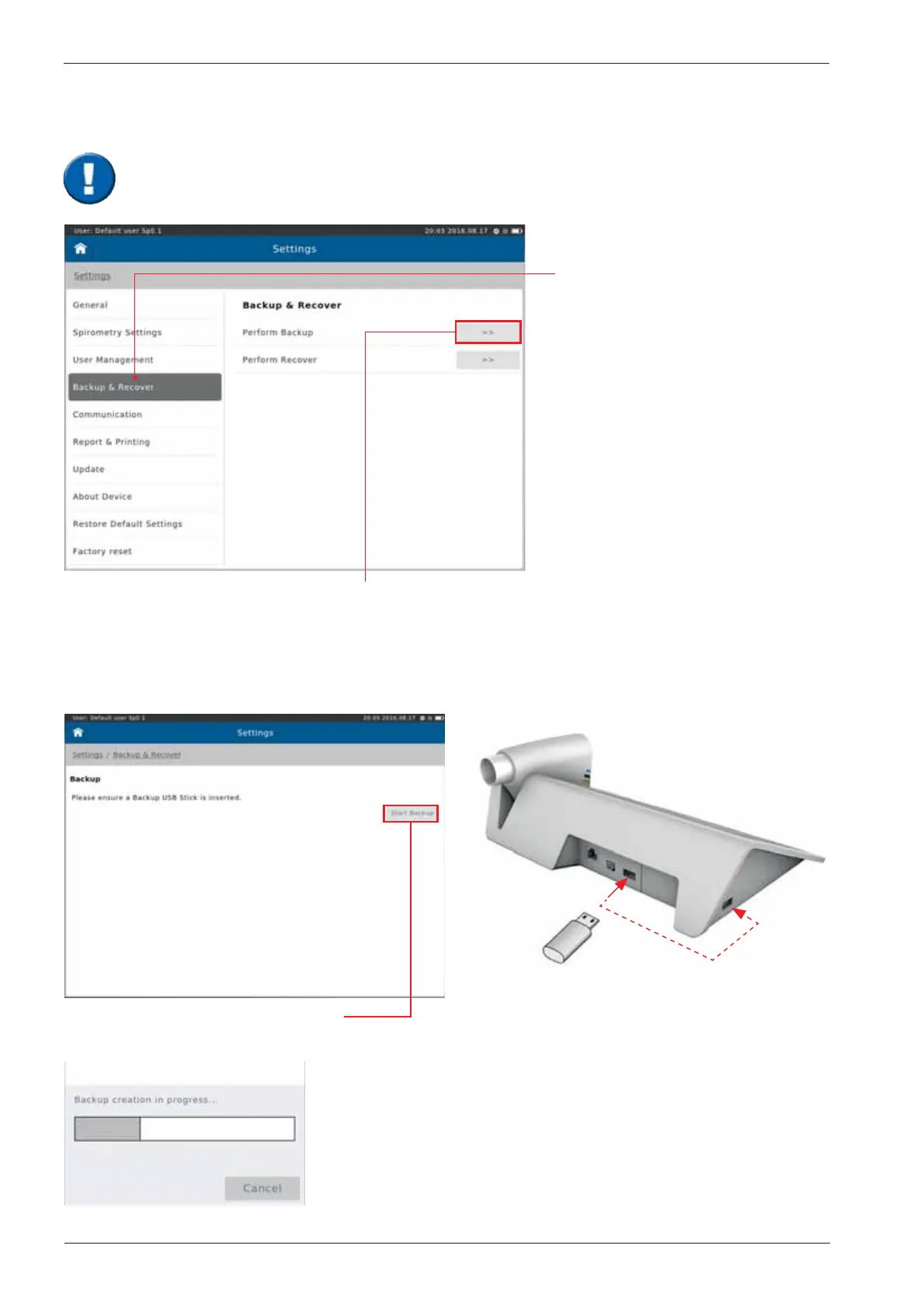
Tap on "Backup & Recover".
Alternatively, tap on the "No
backup performed" eld on the
Home Screen.
If “Perform Backup“ is selected, the message
"Please ensure a Backup USB Stick is Inserted" appears.
Tap on “Start Backup“ to create a
backup le and save it to the USB stick!
Insert USB stick
A backup of all saved patient- and test data should be performed and saved to a USB-
Stick on a regular basis.


 To Next Page