SpiroSphere
®
ECG Instructions for Use
Page 90/136
Version 02.02 • 04AUG2022
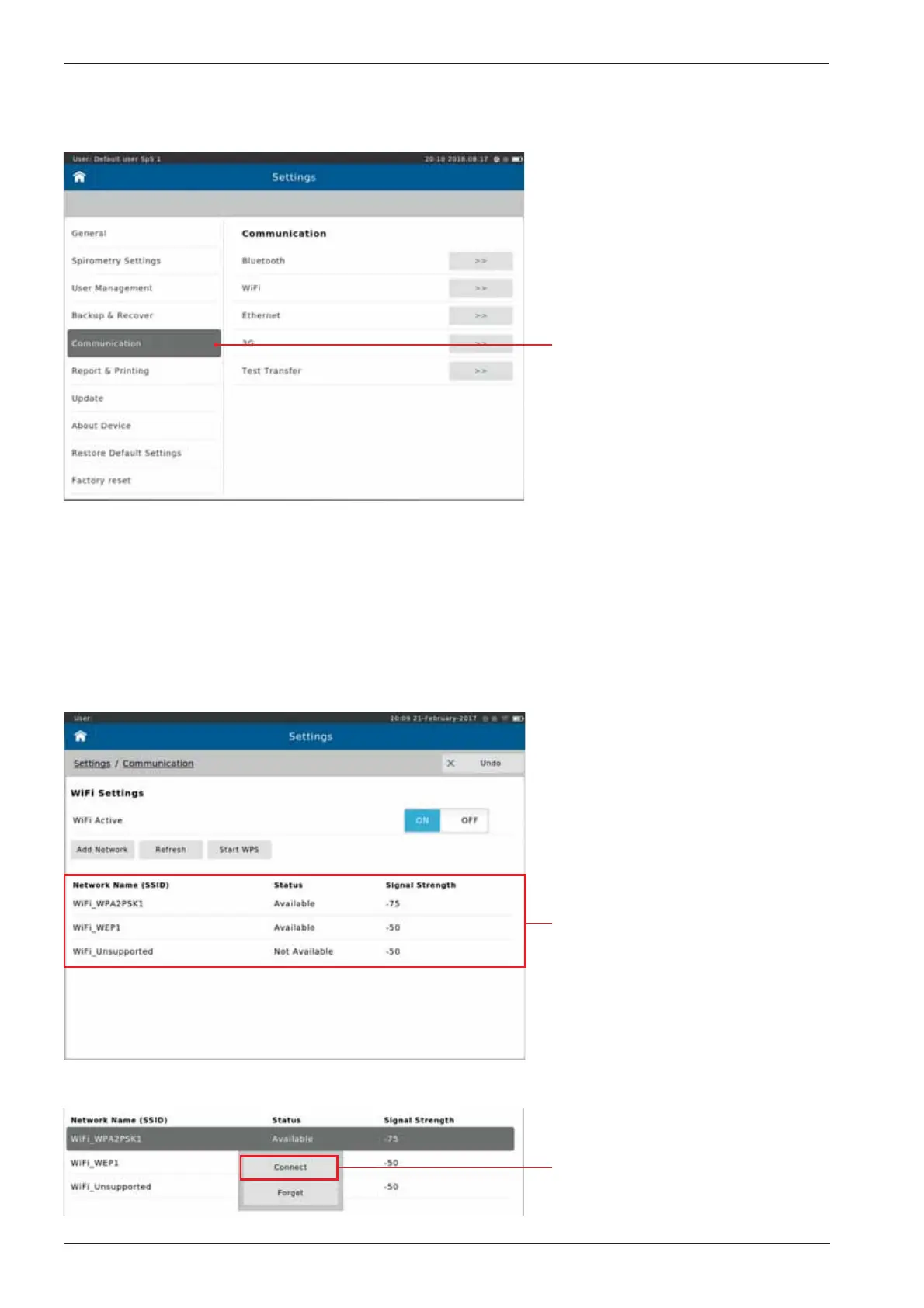
Communication
Tap on "Communication"
Network Requirements
WiFi
It is possible to congure the Communication settings from the Communication menu within
Settings.
Select the Communication method to open the respective conguration settings.
Tap on the desired WiFi network.
Tap <Connect> to initiate the
connection.
The following y-out menu appears:


 To Next Page