SpiroSphere
®
ECG Instructions for Use
Page 25/136
Version 02.02 • 04AUG2022
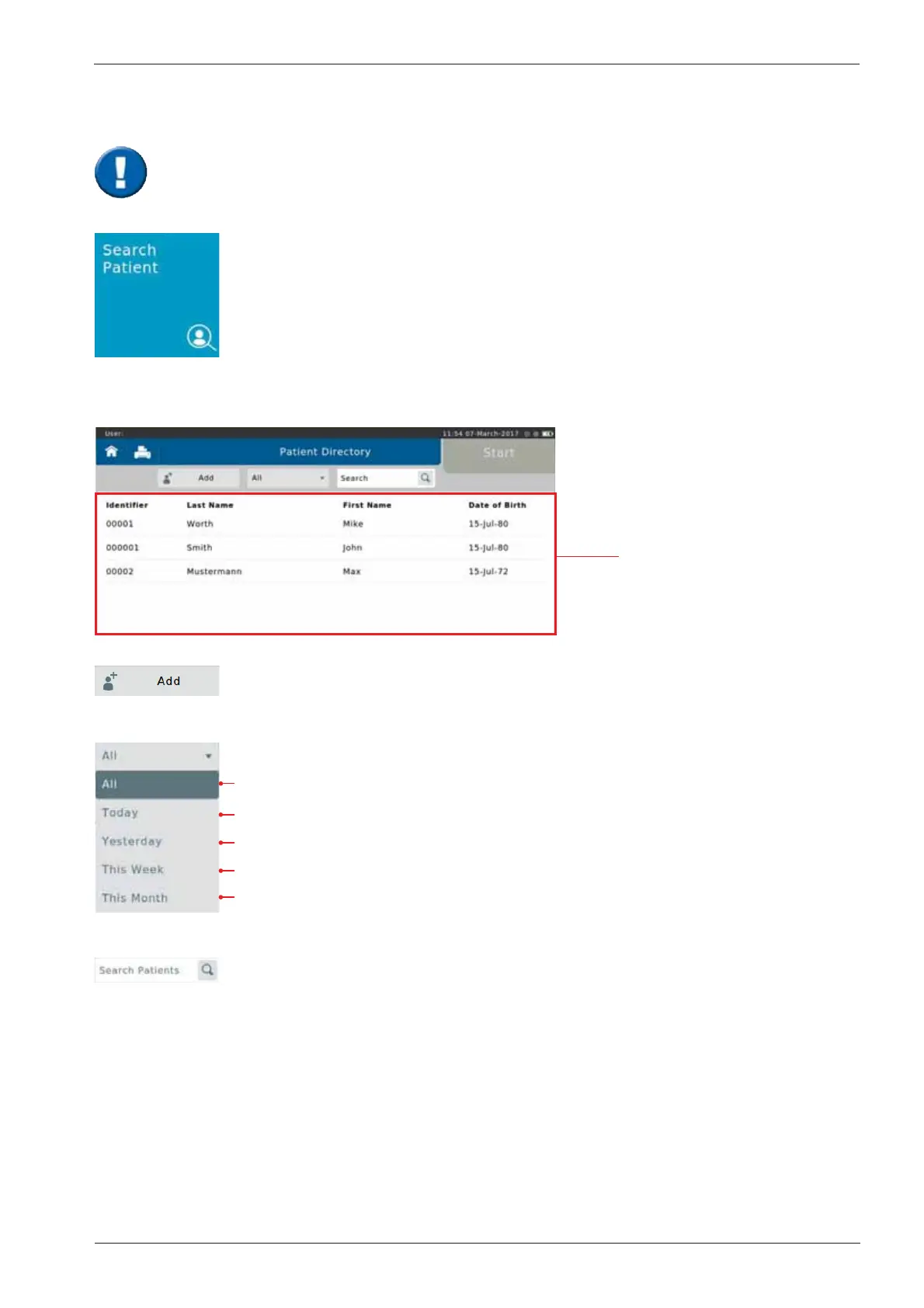
Tap on the "Search Patient" button on the Home Screen to open the list of all
patient data saved in the database.
data of a new Patient can be entered
Display all tested patients
Display all Patients tested today
Display all Patients tested yesterday
Display all Patients tested this week
Display all Patients tested this month
Search for specic Patients by entering his/her last name or ID. Entering the
rst letter or the rst character of the patient's ID is sufcient as well: If e.g. "S"
is entered, all patients whose last names start with "S" are displayed.
Search Patient
The following screen appears:
List of all patients
When a patient whose data is already stored in the database comes for another visit,
you can reload his/her data from the patient directory. You do not have to enter the data
again.


 To Next Page