SpiroSphere
®
ECG Instructions for Use
Page 26/136
Version 02.02 • 04AUG2022
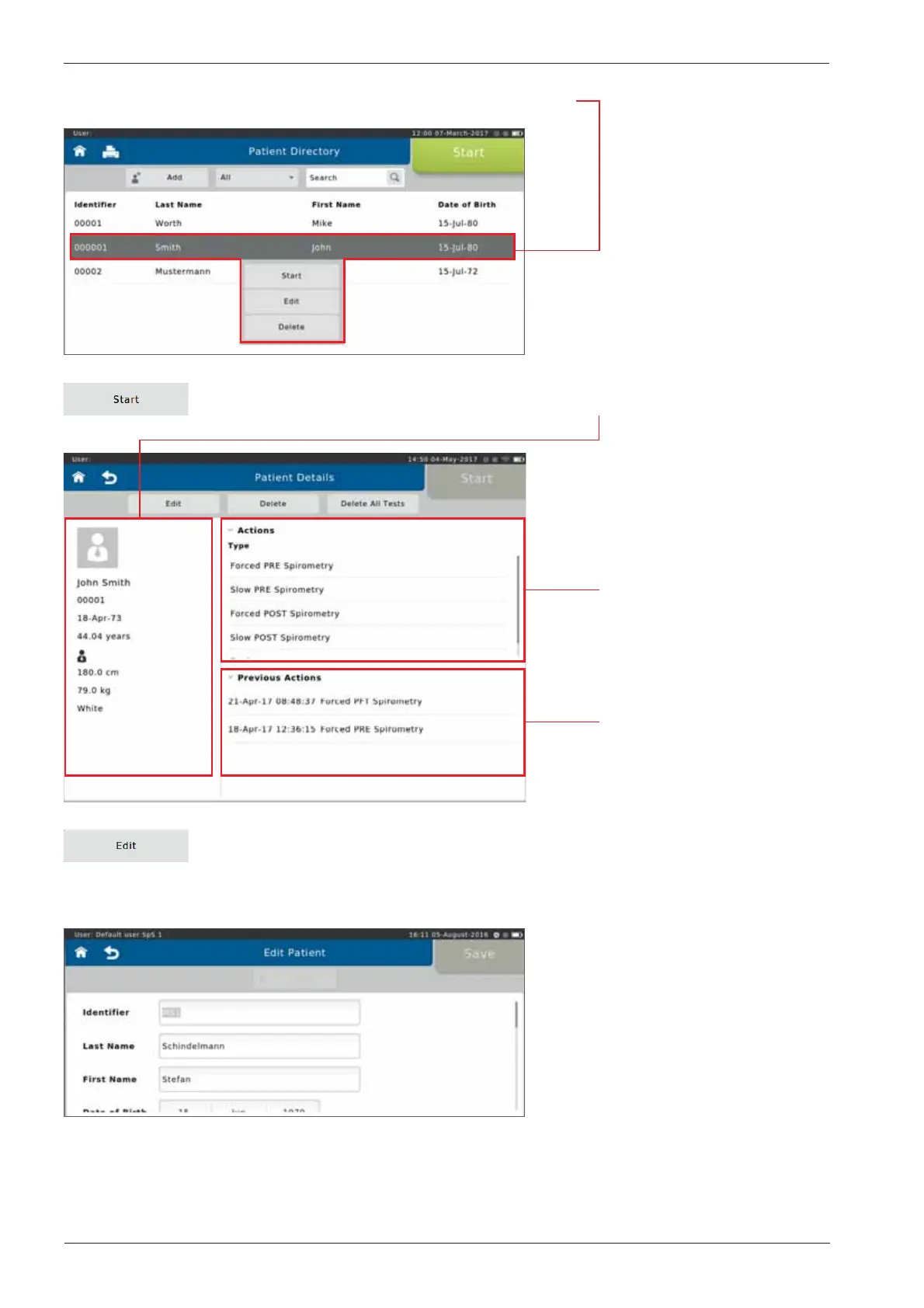
If a listed patient is selected, the following y-out menu appears:
Tap on <Start> to display the patient's personal data on the left.
The "Previous Actions"
section shows the actions
already performed for the
specic patient.
Tap on <Edit> to display the patient's demographic information. If incorrect
patient data was entered or if the patient data need to be updated (e.g. due to
weight or height change in children), the respective data can be edited and will
be used for future tests.
In the "Actions"section,
all conductable actions are
listed.


 To Next Page