SpiroSphere
®
ECG Instructions for Use
Page 72/136
Version 02.02 • 04AUG2022
ECG Results
After 10 seconds the <Evaluate> button will become available to allow you to
end your recording.
Inspect the recording quality of the signals. If the signals are free of drift and
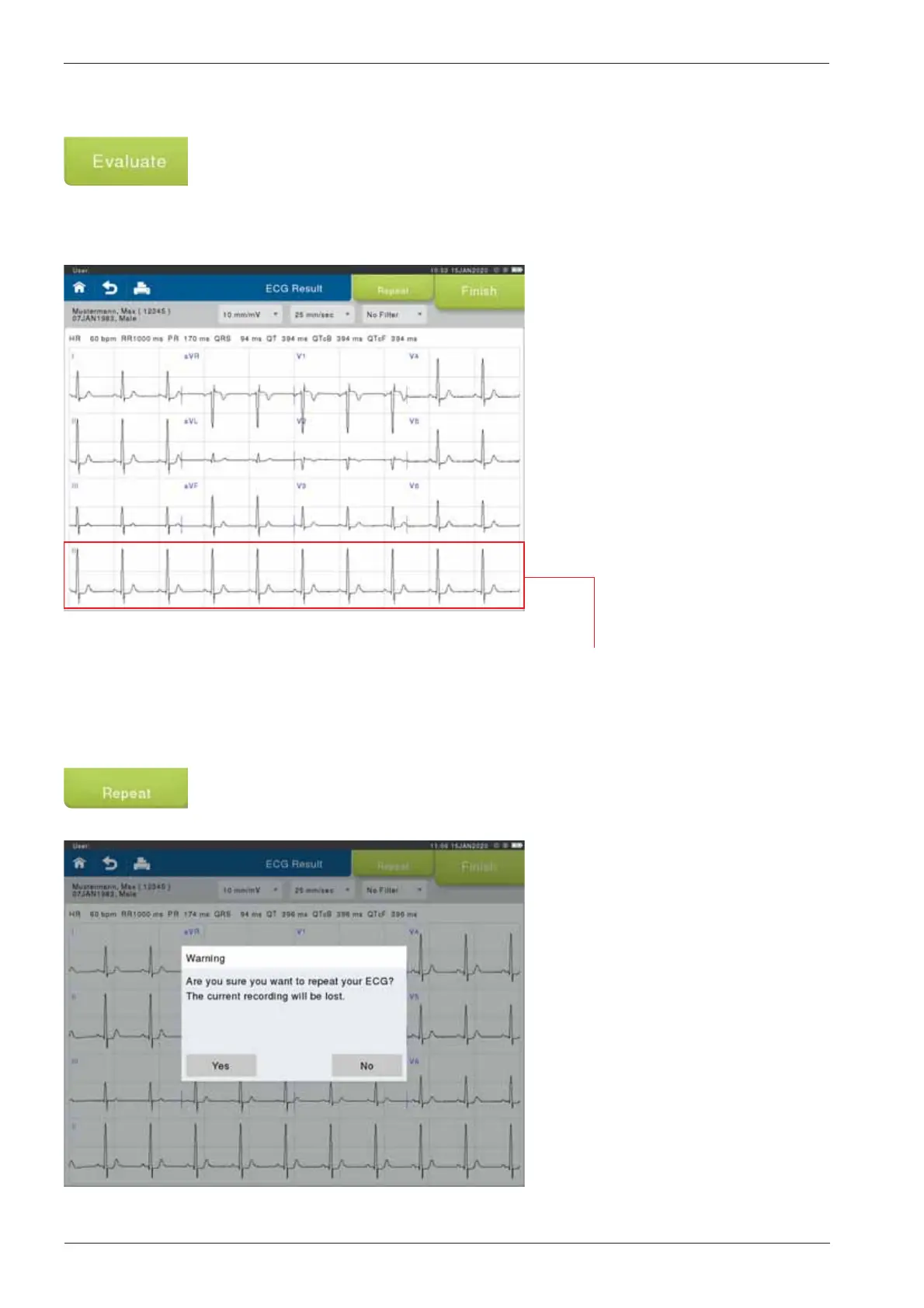
noise, press <Evaluate> to end the recording. The ECG Result screen will
display:
If the quality of the recorded data is not sufcient, a new ECG recording should
be started prior to pressing <Repeat>.
The full 10-seconds of any lead can be displayed by touching the respective
lead required to be shown. (in the example Lead II)
Note: The printed report will always show the full 10-seconds of Lead II,
independent of that selected in the Online view or Results screen.
The previously recorded data will
be deleted and the ECG recording
re-started.


 To Next Page