SpiroSphere
®
ECG Instructions for Use
Page 24/136
Version 02.02 • 04AUG2022
Age: The Patient's age will be calculated automatically from the entered date of birth
Gender: Select appropriate gender
Height: Enter the Patient's height
Weight: Enter the Patient's weight
Ethnicity: Select the appropriate ethnicity
Additionally, there is an option to enter:
Technician: Enter the Technician's name
Physician: Enter the Physician's name
Set A Name 1:
Set A Name 2:
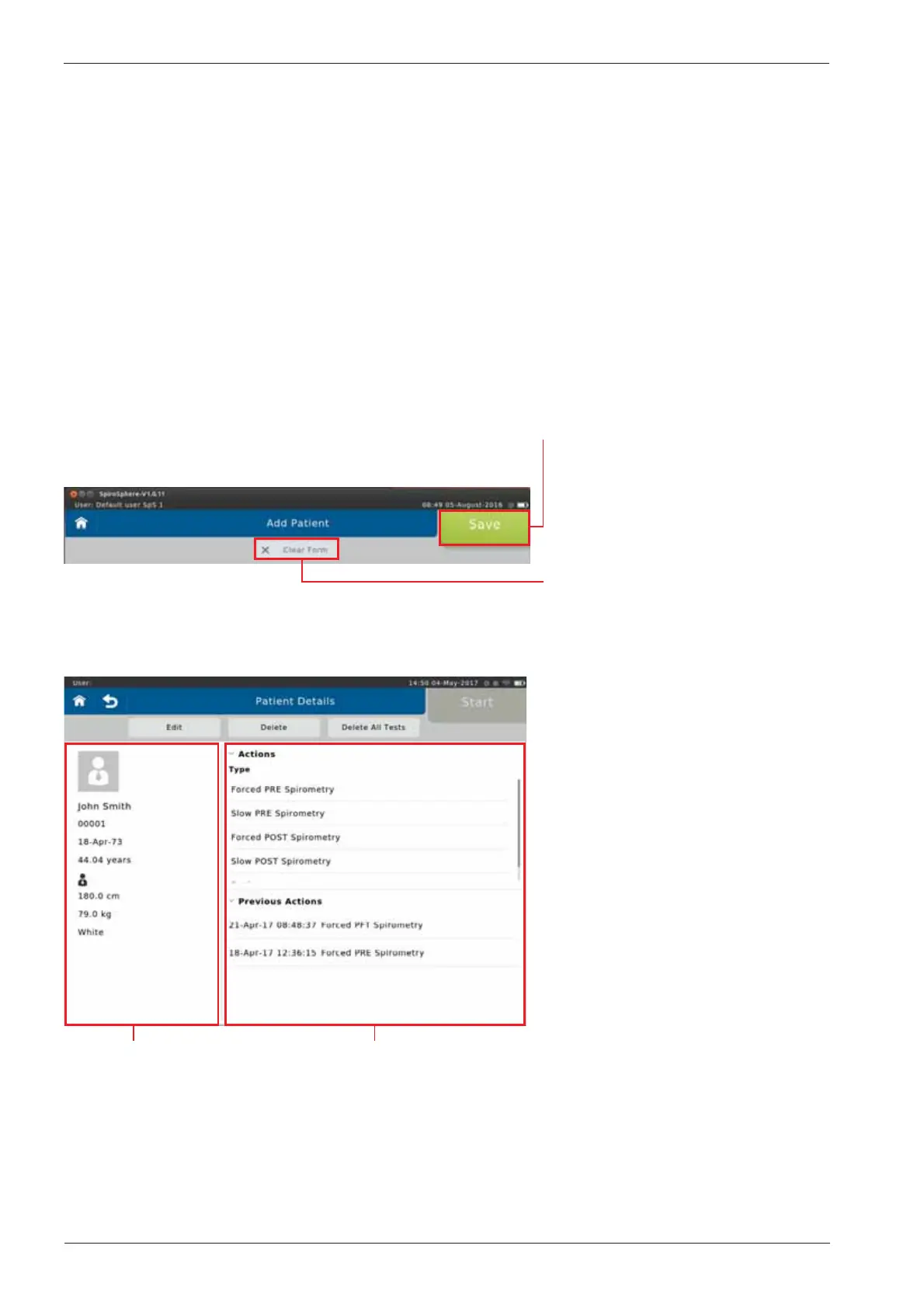
As soon as all required patient data is entered, tap on <Save> to save the patient to your patient
directory.
If you want to discard all data just
entered, tap on <Clear Form>. All
entry fields will be cleared.
Screen display after patient data input:
Patient data
Available Actions (Type), and list of
tests already performed (Previous
Tests)


 To Next Page