SpiroSphere
®
ECG Instructions for Use
Page 60/136
Version 02.02 • 04AUG2022
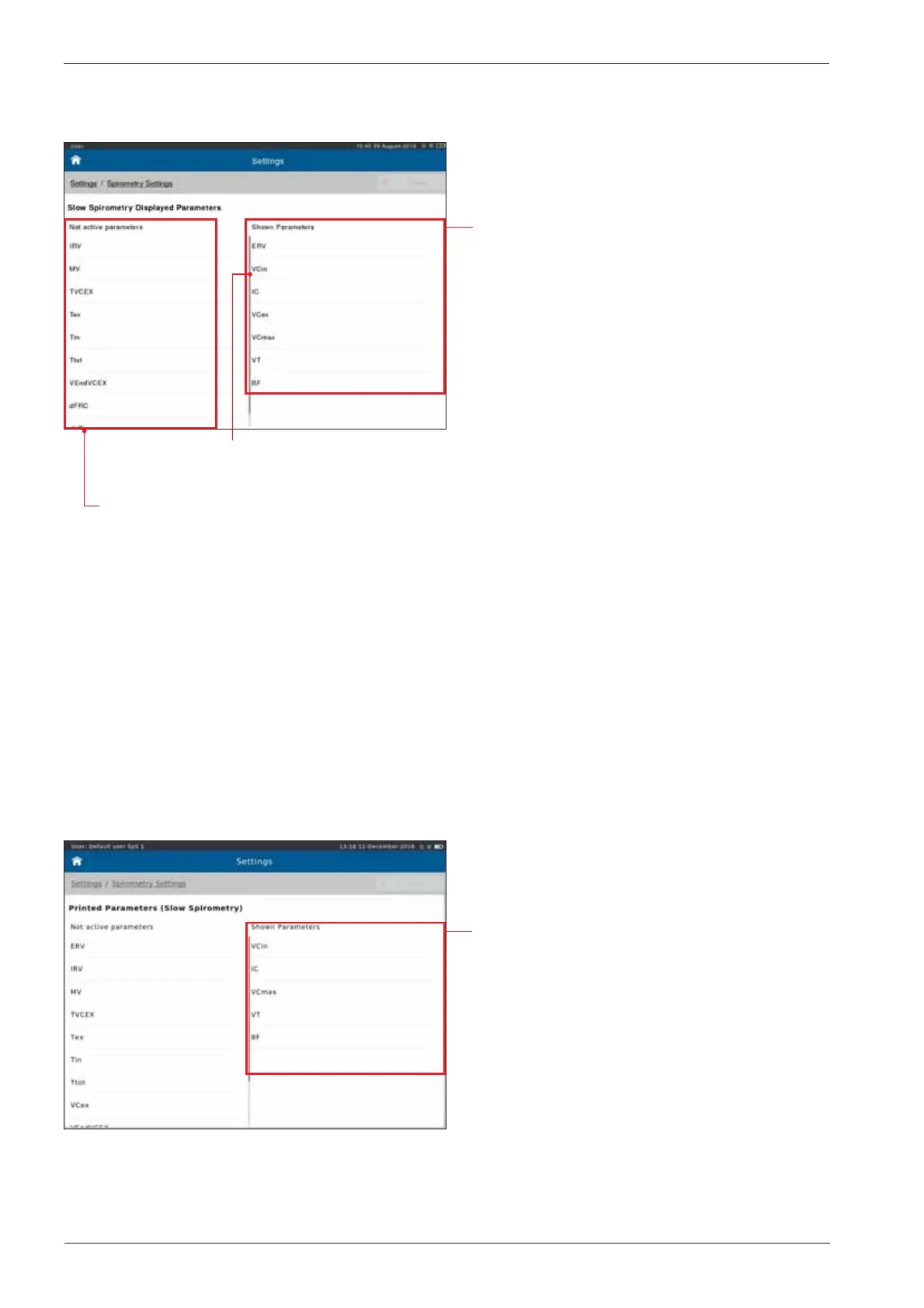
Slow Spirometry - Displayed Parameters
The "Shown Parameters" column
displays the parameters shown in the
result screen of the slow spirometry
measurement.
Preset:
ERV
VCin
IC
VCmax
VT
BF
Scroll down to display further parameters
(if applicable)
The "Not active parameters" column displays all parameters which
can be selected to be shown during a measurement.
Slow Spirometry - Printed Parameters
Add a parameter to the "Shown Parameters" column:
Double-tap on the required parameter in the "Not active parameters" column. The parameter will
immediately be added to the "Shown Parameter" list.
Remove a parameter from the "Shown Parameters" column:
Double-tap on the parameter you want to delete.
Tap on <Undo> in order to undo the recent changes.
The"Shown Parameters" column
displays shown the printed parameters of
the slow spirometry measurement:
Preset:
VCin
IC
VCmax
VT
BF


 To Next Page