SpiroSphere
®
ECG Instructions for Use
Page 67/136
Version 02.02 • 04AUG2022
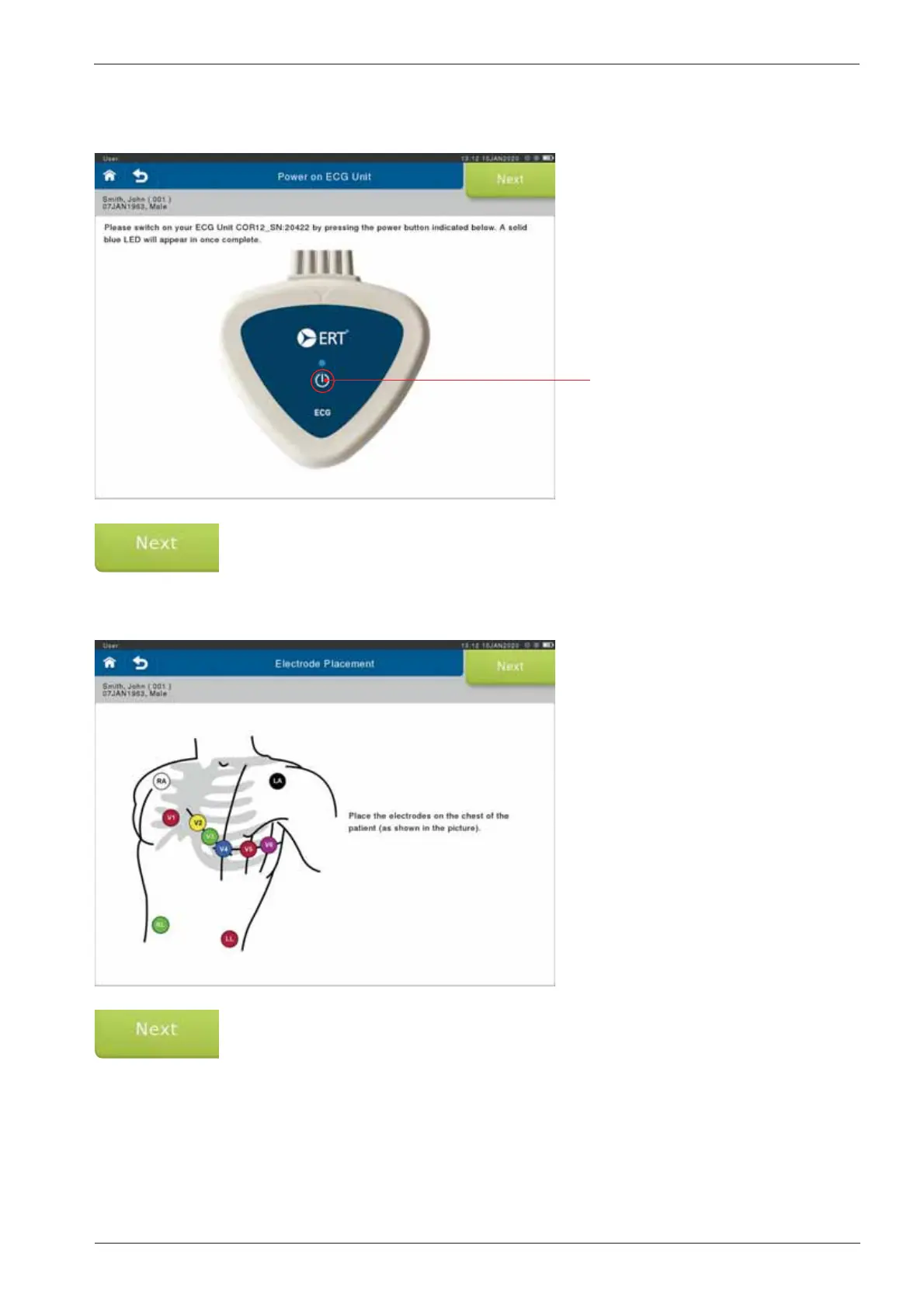
Power button
Power on the ECG unit by pressing the power button. The LED will turn blue indicating the ECG
unit is powered on. If the battery is low, the LED will blink.
Select <Next> to continue.
A screen displaying the correct placement of the electrodes for the ECG recording will appear.
Select <Next>.
The system will illuminate the electrodes in a xed sequence.


 To Next Page