SpiroSphere
®
ECG Instructions for Use
Page 85/136
Version 02.02 • 04AUG2022
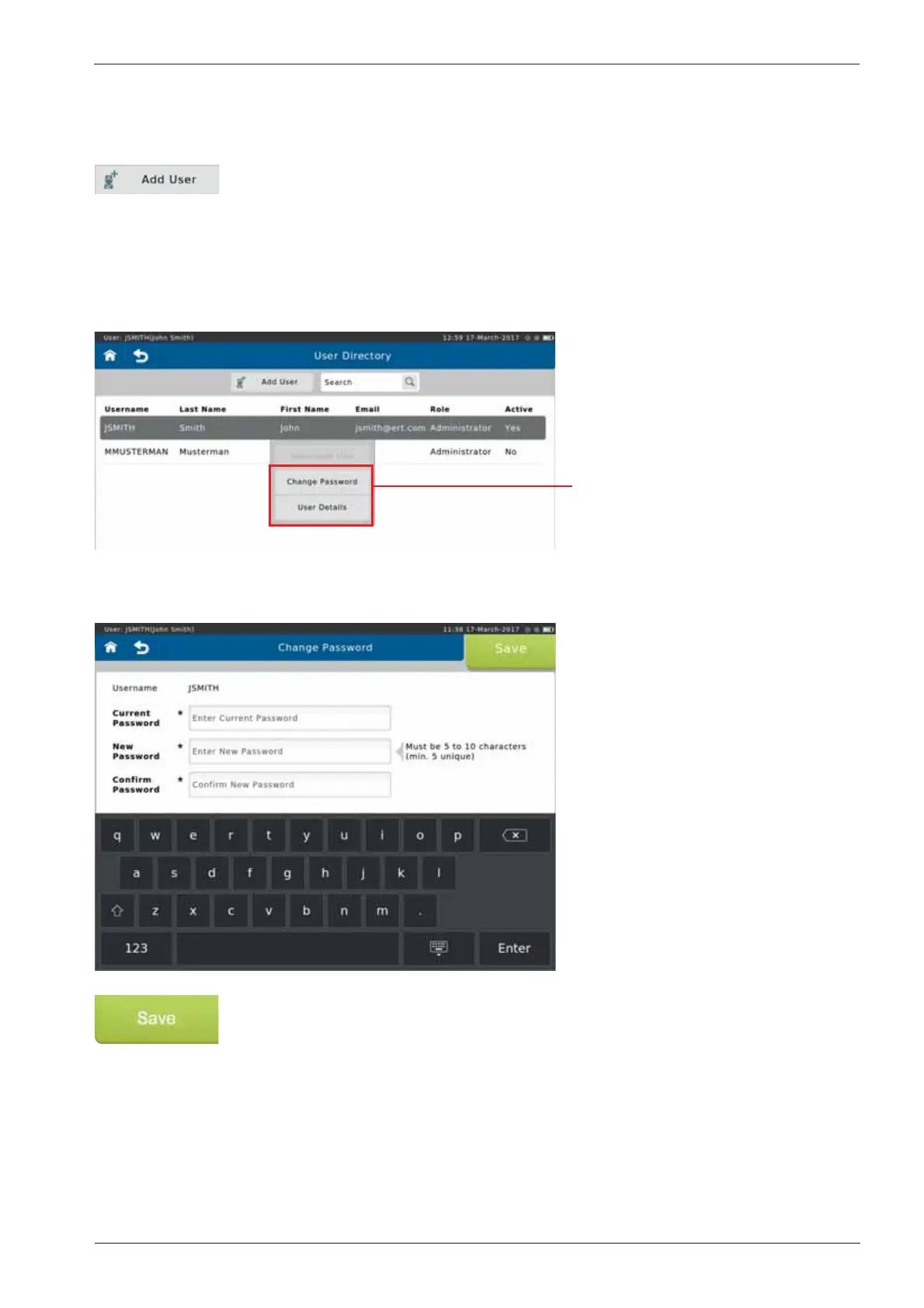
Tapping the currently logged in user in the directory will open a y out menu:
Access to the User details, and
Change password function is
available
To set a new password, tap <Change Password>. The following screen appears:
Make the appropriate entries and tap <Save> to save the new password.
Add User
It is possible to add another new user from the User Directory.
To add a new user, tap <Add User>. Make the appropriate entries and, if
desired, register ngerprints (see above).
Change Password


 To Next Page