part of the game
esa.com.au 23
RTC, Display Brightness & Key Beep
Real Time Clock
The range of scoreboards can be fitted with RTC as an optional extra.
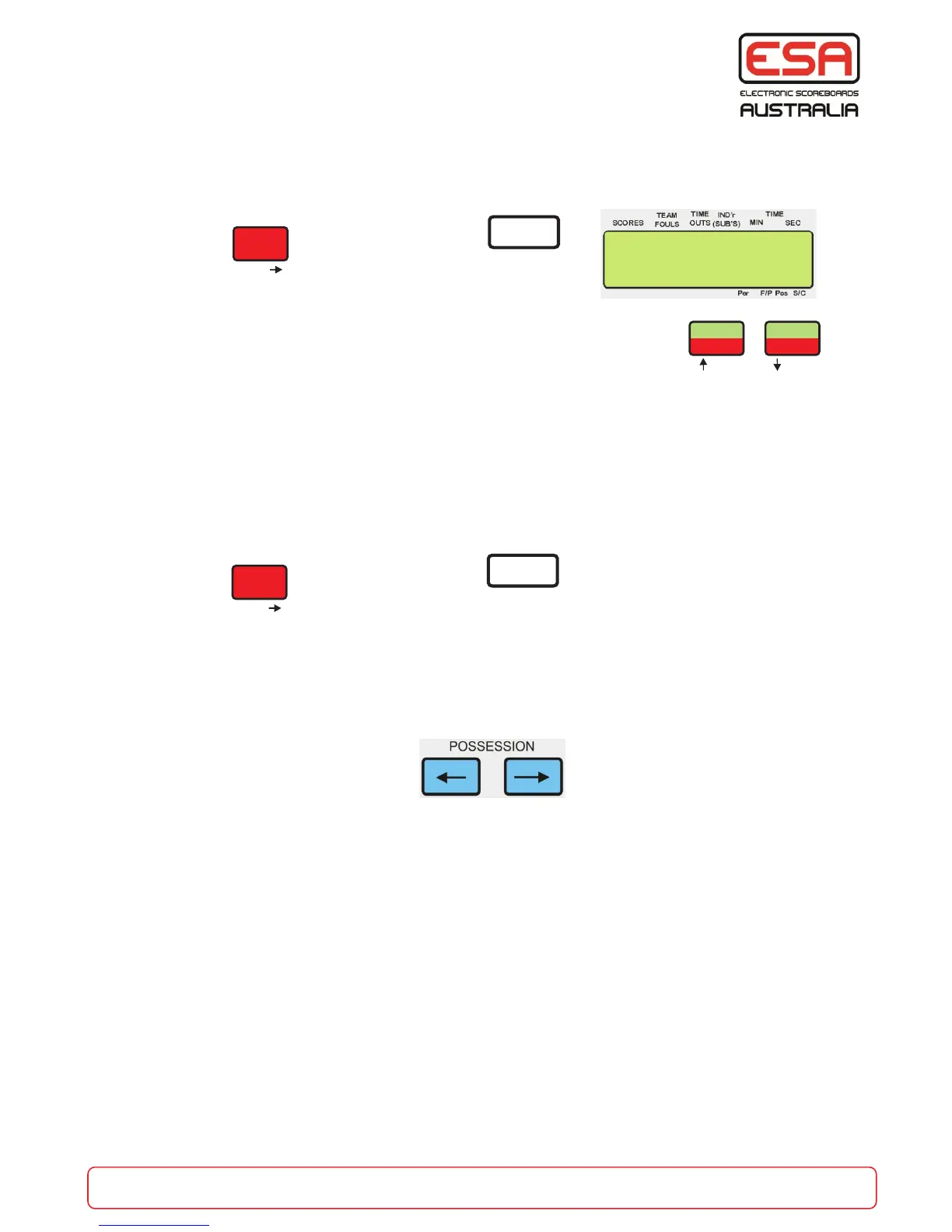
Press then press the logo button
Use the ‘Up/Down’ buttons to adjust hours. Press the ‘Next’ button.
Use the ‘Up/Down’ buttons to adjust minutes. Press the ‘Next’ button.
A standard scoreboard fitted with RTC will display the Time Of Day automatically when
the control console is turned off.
Display Brightness
A standard 8000 series scoreboard will have brightness control of digits, this is stored as a
memory value when adjusted. Older scoreboards may not have this control, and are powered up
with maximum brightness.
Press then press the logo button
Select ‘No’ to the Set Time Clock function, then use ‘Up/Down’ buttons to adjust
brightness as required.
Press ‘Next’ to continue to Key Beep Duration adjustment.
When running Pf / Pp game mode the brightness can be adjusted using the possession buttons.
Key Beep Duration
After brightness control is completed the Keyboard Beep Duration can be adjusted to a value from
0 (No Beep) to 9 (Long Beep). Use the keypad to enter a value 0-9 and press ‘Next’ to complete
set up of these functions.
FUNC’N
ENTER
PROG’M
Next
Set Time Clock
Remote RTC Y/N
CC-10
ESA
- SEC
+ MIN
- SEC
+ MIN
ADJUST
A B
Yes No
FUNC’N
ENTER
PROG’M
Next
CC-10
ESA


 To Next Page