!! Caution !!
Setting options will drastically effect the operation of the control console
1:- TV Out
When enabled extra code will be transmitted via the RS485 data port or radio. This is used by
television OB vans to super-impose live scores etc.
2:- Team Pin
When enabled a PIN is required to enter/edit Team Names. This is used to prevent un-authorised
personnel making changes.
3:- Radio Out
When enabled the transmitted data from the radio (if fitted) will be continuously re-transmitted every .5
second.
4:- Volley 2
When enabled allows basketball mode to be used for volleyball, Pressing the RESET Fouls T/Outs
(Sets T/Outs) button will clear the scores and timeouts but not the SETS.
5: Split Mode
When enabled allows two control consoles with RADIO’s fitted to control score boards simultaneously,
One controlling the TIME on all scoreboards and one controlling SCORING on it’s own scoreboard.
6:PEHC2 Compatible
When enabled allows the newer CC-10 Control Console to output data compatible with the older
PEHC2 or LGEHC2 control consoles to drive older model score boards.
7: Opt 7
Option 7 is not defined
8: Set B=9600
Change Baud Rate to 9600, Only used for special circumstances.
Game Type
Option> t p r v s 2 7 9
Basketball
Netball
Rugby
Soccer
NBL Extra
Pf / Pp
Water Polo
Indoor Cricket
Volley Ball
Carnival Master
Carnival Slave
Carnival Local
Set B= 9600
Opt 7
PEHC2
Split Mode
Volley 2
Radio Out
Team Pin
TV Out
N = No Y = Yes O = Optional
O
O
N
N
N
N
N
N
O
O
O
O
O
O
O
O
N
N
N
N
N
N
N
N
N
N
N
N
N
N
N
N
N
N
N
N
N
N
N
N
N
N
Y
Y
N
N
N
N
N
N
N
N
N
N
N
N
N
N
N
N
N
N
N
N
N
N
N
N
N
O
O
N
N
N
N
N
N
N
N
N
N
N
N
N
N
N
N
N
N
N
N
N
N
N
N
N
N
N
N
N
N
N
N
N
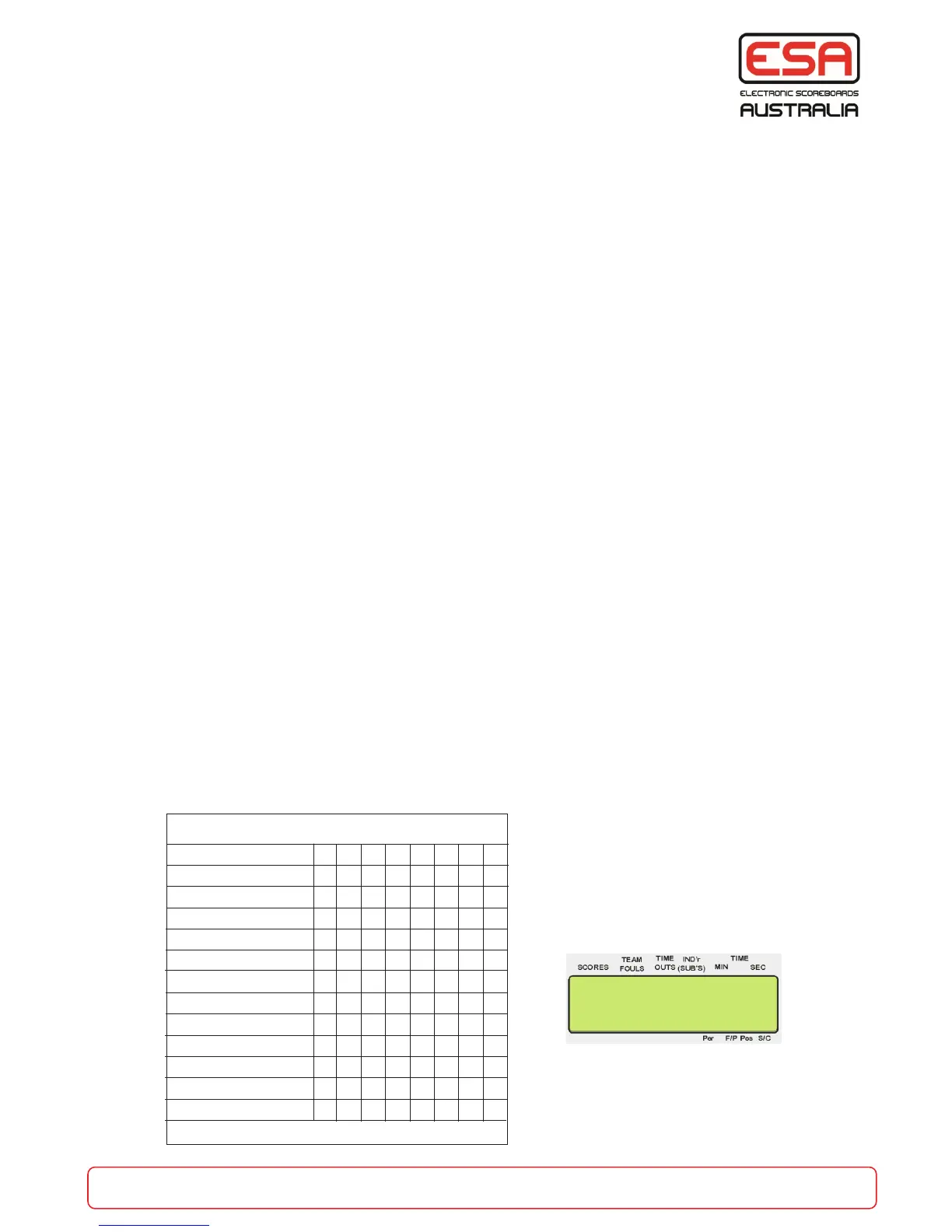
N.B. Factory defaults are all N = No
When the Control Console is turned ON,
as a part of the power up messages this
screen will display the options that are
enabled
To enter programming mode - (refer to page 12)
part of the game
esa.com.au 33
Output Modes and Special Operations
(c) ESA P/L
V2015Jx op>xxxxxx


 To Next Page