DOKP4M4060 3.0 -12- © ESAB/TBi 2021
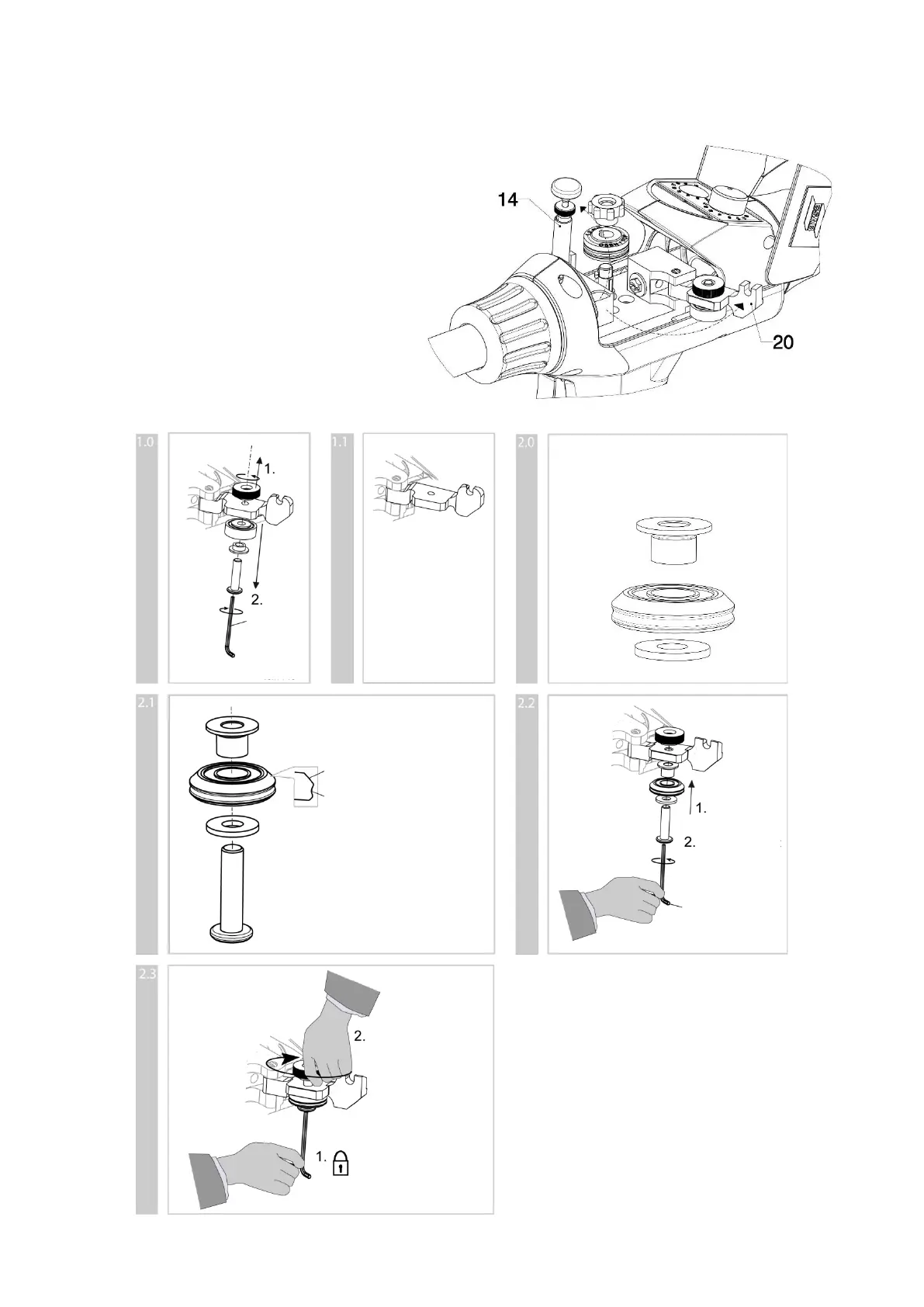
3.3.3 Installing and changing pressure roll for AlSi wire
The optional pressure roll for AlSi wires must be installed together with the AlSi feed rolls!
Perform the following steps to change the pressure roll:
1. Open cover (4), loosen tension spring
holder (14) from locking device and flip up
to open.
2. Open pressure roll holder (20) and fold to
the side
3. Install pressure roll for AlSi (part no.
0459 990 082) according to the supplied
installation instructions:









 To Next Page