Hardware overview/installation IVX 20
B.6
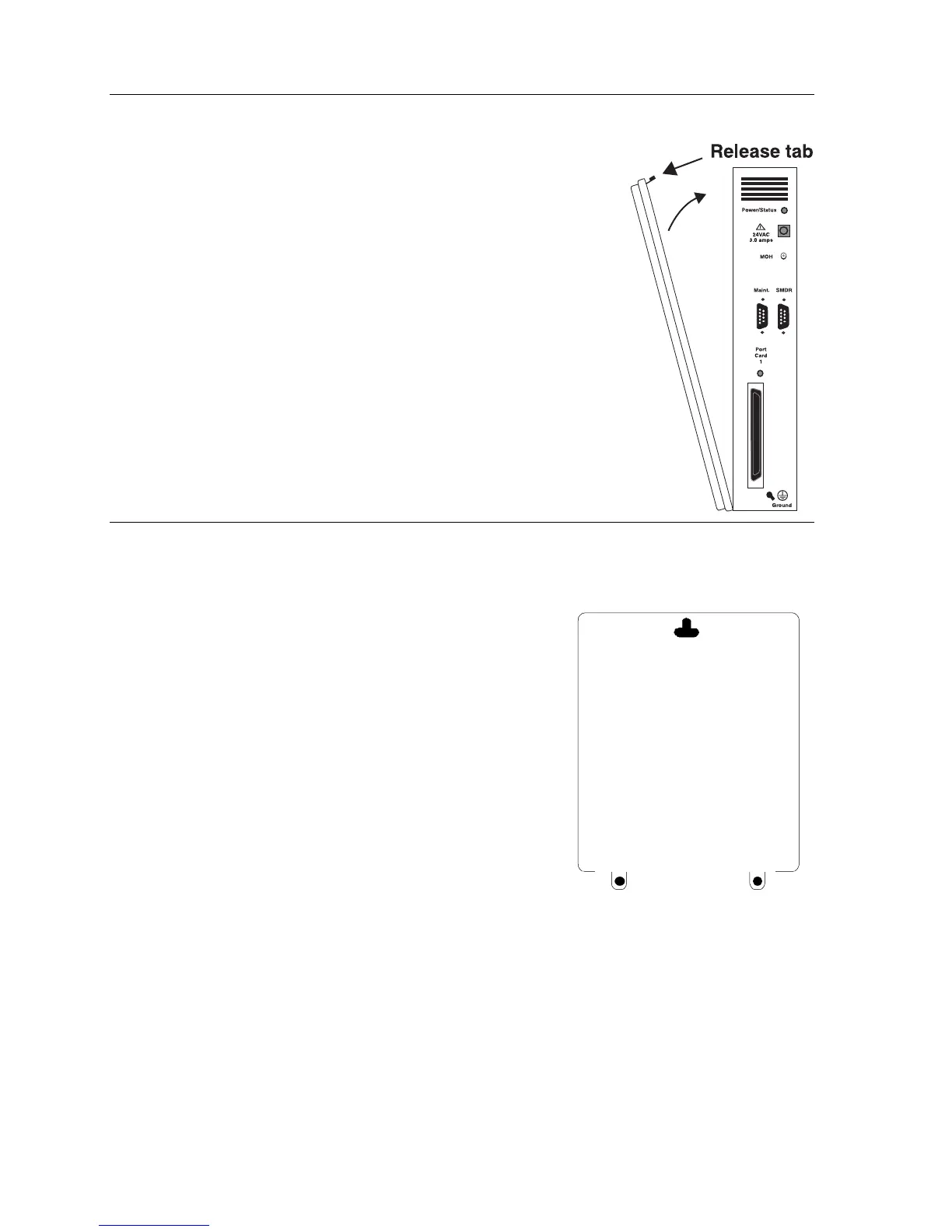
Opening the cabinet
The lid on all cabinets is held in place by two tabs that rest in slots in
the bottom of the case. A release tab snaps into an opening in the top-
center of the cabinet and is secured by a retaining screw.
To remove the lid:
1.
Remove the retaining screw and depress the release tab at
the top of the cabinet.
2.
Rock the lid back from the top.
3.
Lift and pull the lid free from the slots in the bottom of
the cabinet.
Mounting the cabinet
Use three #8 hex-head screws. Note the position of the three mounting holes in IVX.
1.
Screw in the top screw to the backboard — at least
one-half-inch (
1
/
2
″
)-thick plywood — leaving about
one-eighth-inch (
1
/
8
″
) clearance between the screw head
and the plywood.
2.
Hang the unit using the keyhole at the top of the case.
3.
Level the unit and install the bottom two screws.
Attach the power transformer to the wall, allowing sufficient
length in both cords both to reach the power connector on the
upper right side of the cabinet and to reach a UPS or a
dedicated 110 VAC outlet.
Note: Do not apply power until all hardware connections have
been made.



 To Next Page