10
FOLDER PLAYBACK
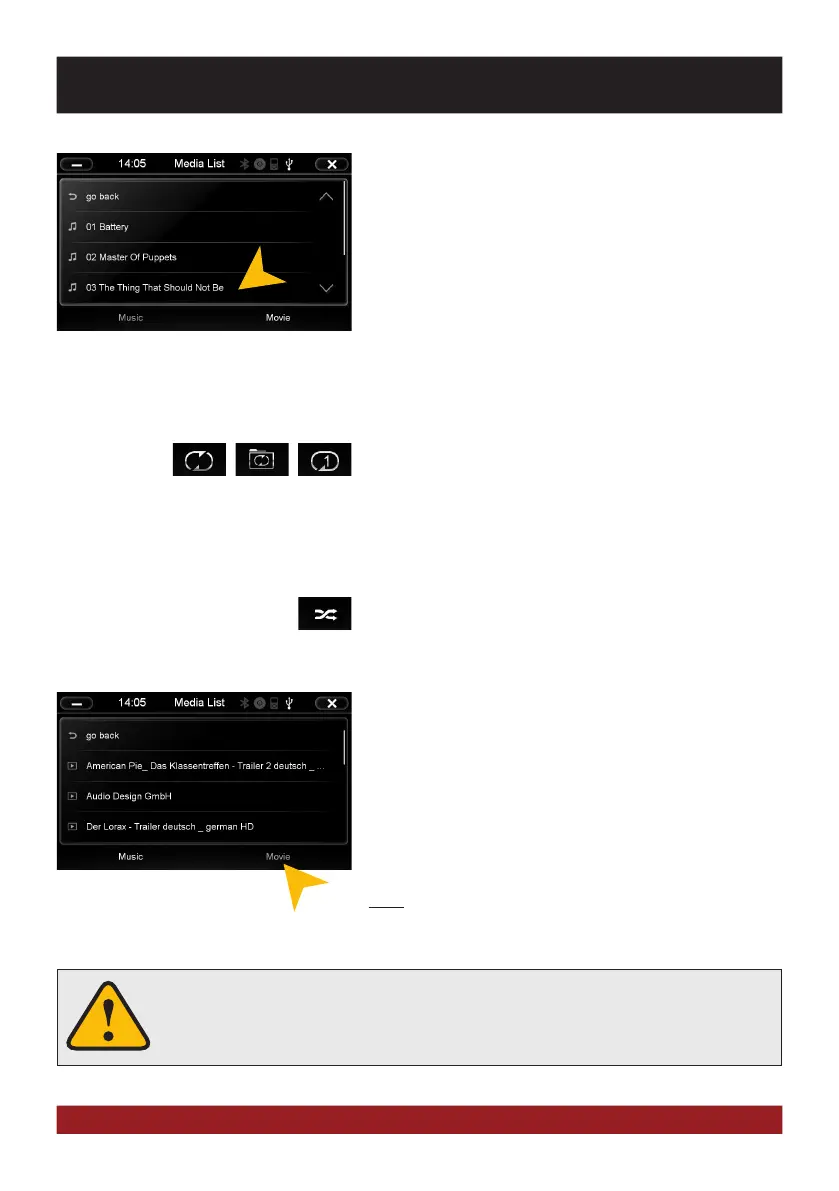
Tap the folder icon in the multimedia menu at the bottom left
(See page 9, # 9) and the currently played folder
Is displayed. You can now scroll through the list (move the list
down / up with your finger, or scroll the page side by side with
the arrows).
Tap a track to select it directly. Tap „go back“ to go up one direc-
tory level and select another folder.
Tap a folder to open it to play another song.
Tap the bar in the upper left to return to playback or „X“ in the top
right to close the multimedia player and pause playback.
REPEAT FUNCTION
Symbol 1: When the last song has been played within a folder,
the playback will continue to the next folder. After the last song,
playback starts again from the beginning.
Symbol 2: The current folder is repeated
Symbol 3: A single track is repeated
RANDOM PLAY
To shuffle all tracks or all tracks within a folder (if a folder was
previously selected).
MOVIE PLAYBACK
Select the folder icon and then „Movie“ on the bottom right. Now
all movie files of the connected media are displayed. Are these
located in several folders, you can switch to a different directory
with „go back“ like in the music player. The „Repeat Function“ and
„Random Play“ have the same function as in the music player. Tap
during the full screen playback shortly at any point on the screen
to open playback options.
Note: The playback of a movie file is only possible if the hand
brake is closed.
If the playback does not start (a USB stick can not be detected or the source selec-
tion is not working as expected) close the multimedia player with „X“ top right
(page 9, # 4) and restart it.
BASIC FUNCTIONS



 To Next Page