22
Audio
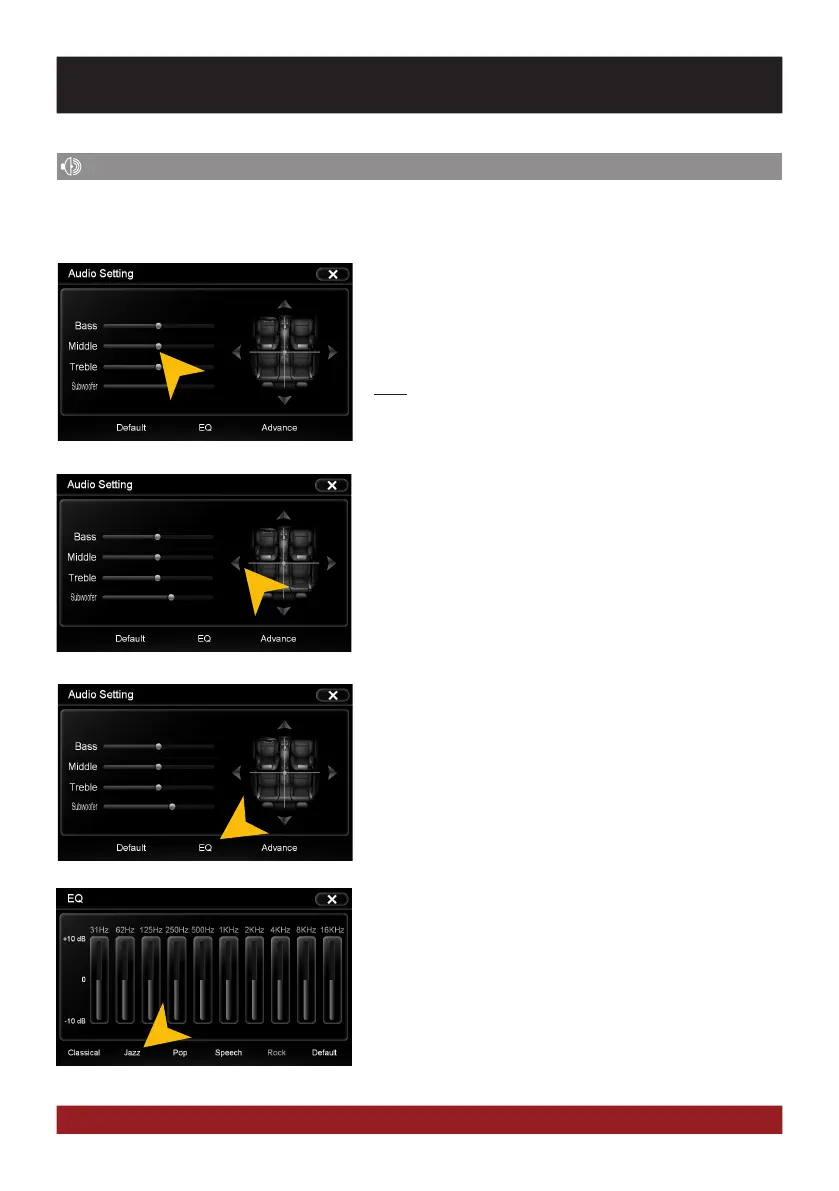
Tap on one of the control bars to change the sound adjust-
ment.
“Subwoofer” directly controls the subwoofer output and is
only available when the function is activated under “Advance”.
Note: The change of settings directly influences the „Equal-
izer“ settings.
Tap on one of the seating positions or on the arrows to align
the front and rear speakers.
You can open the audio settings in the main menu by tapping on „Apps“ and „Audio“ or by pressing
the right rotary control (except while DVD/TV playback) on the device.
Tap on one of the preset equalizer presets.
Tap on „EQ“.
BASIC FUNCTIONS



 To Next Page