40
CANBUS (only model Type 290)
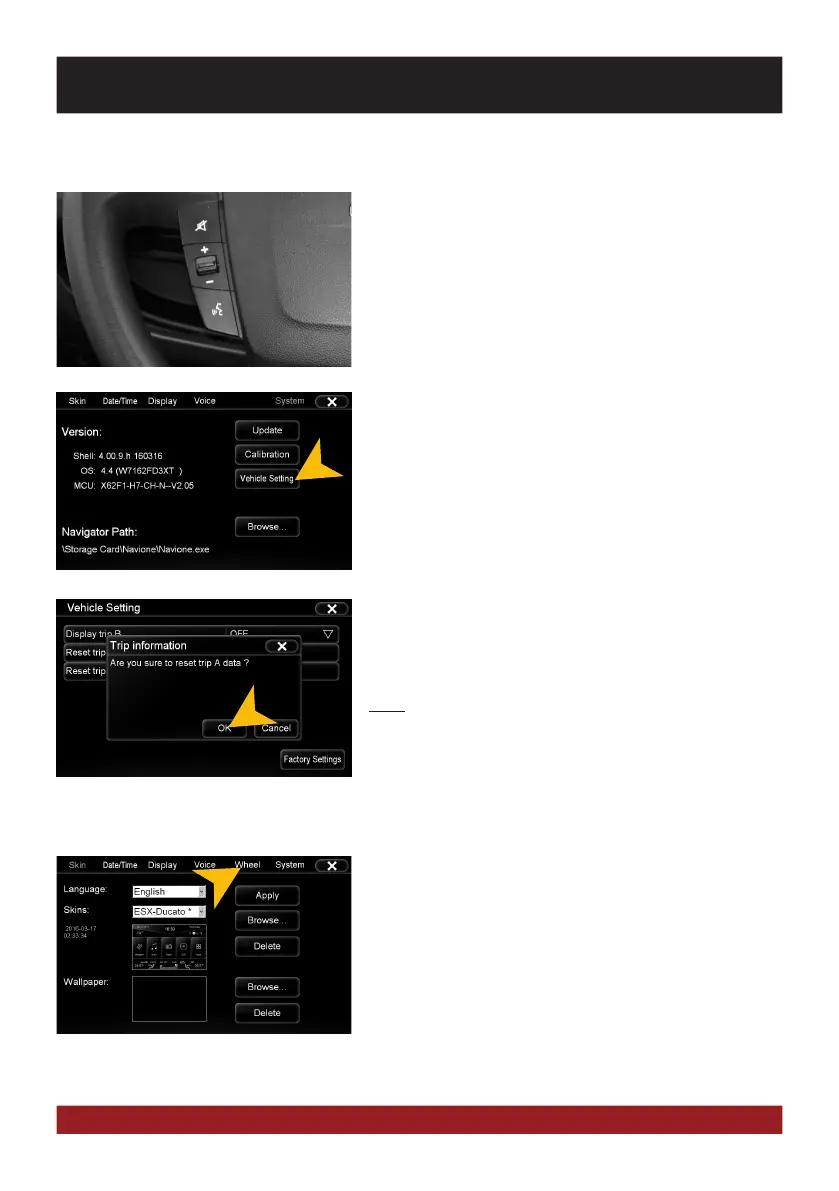
The device supports the standard steering wheel remote con-
trol of model Type 290 with OEM radio (more Installation ac-
cessories may be required, refer to installation guide). To train
the device is omitted here.
In addition, the device allows the setting of the original vehicle
functions via CANBUS.
TEACHING FUNCTION
With the „wheel“ function, you can teach an analog steering
wheel remote control. Please note that CANBUS controlled
steering wheel remote controls are not compatible.
This requires an appropriate MCU software on the device,
which begins with the following version number:
X62FD ... (Refer to „System“). Contact your specialist dealer
or the ESX Support. The „Vehicle Settings“ menu is then no
longer available.
Tap on „Vehicle Settings“ (Main Menu -> Option) to open the
vehicle menu.
Now tap on:
„Units“ to change the settings of the temperature, distance and
fuel consumption.
„Trip information“ to select the settings on the mileage of the
driving data from the onboard computer (Trip Manager) for A/B
or to reset the counter.
„Auto Close“to activate the automatic shutdown feature.
Note: The „Vehicle Settings“ is only visible on devices with the
MCU version „X62F1 ...“ (Refer to „System“) and works only
with the Model Type 290 with connected a CANBUS (refer to
installation guide).
MULTI-FUNCTION STEERING WHEEL
MULTI-FUNCTION DISPLAY
ADVANCED OPERATIONS



 To Next Page