37
Wallpaper
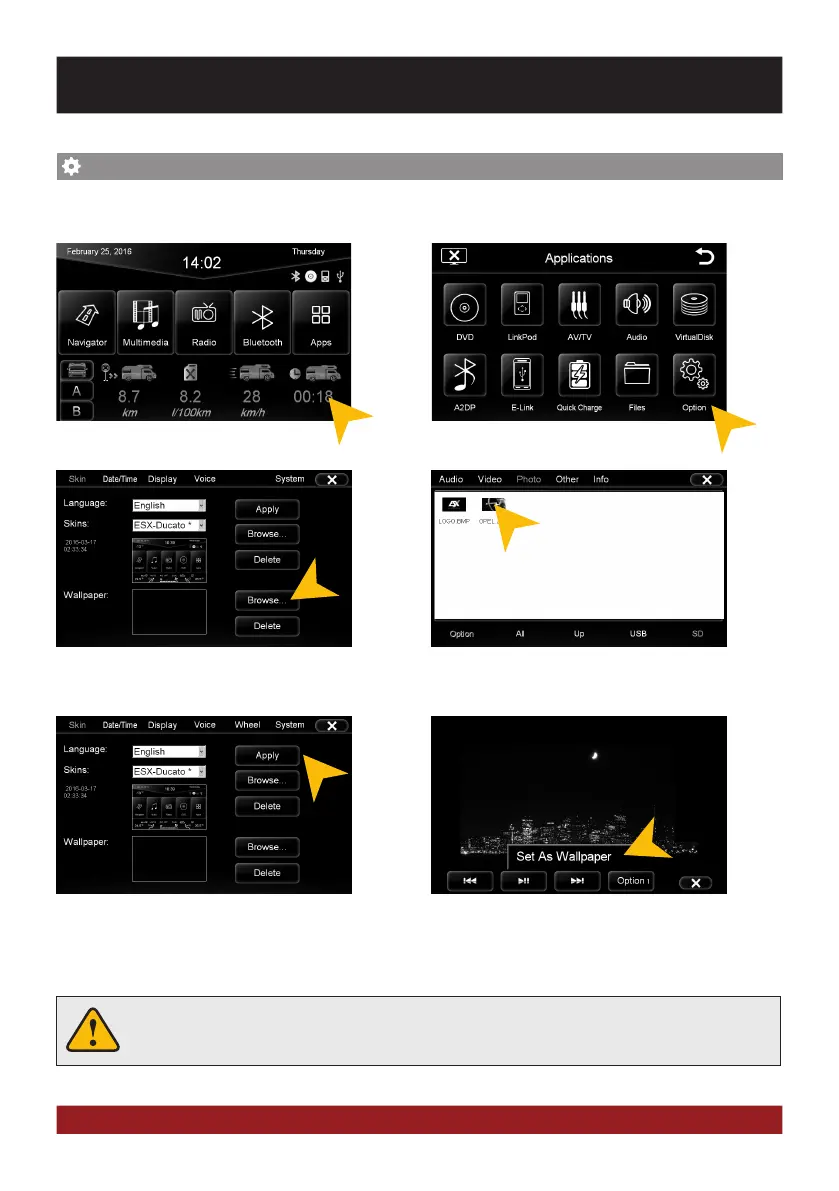
You have the possibility to customize the background image to your liking. First, copy the desired
wallpaper file to the microSD card or on a USB stick.
Tap on „Apps“. Tap on „Options“.
Select a file by double click.Tap at „Wallpaper“ on „Browse“
Tap on „Apply“ to confirm your selection or
„Delete“ below to remove the current file.
Alternatively you can set an already opened
image as your wallpaper. Tap on „Options“
and select „Set as Wallpaper“.
Under certain circumstances the opening and loading of large images or movie files may
take some time to proceed.
CUSTOM SETTINGS



 To Next Page