23
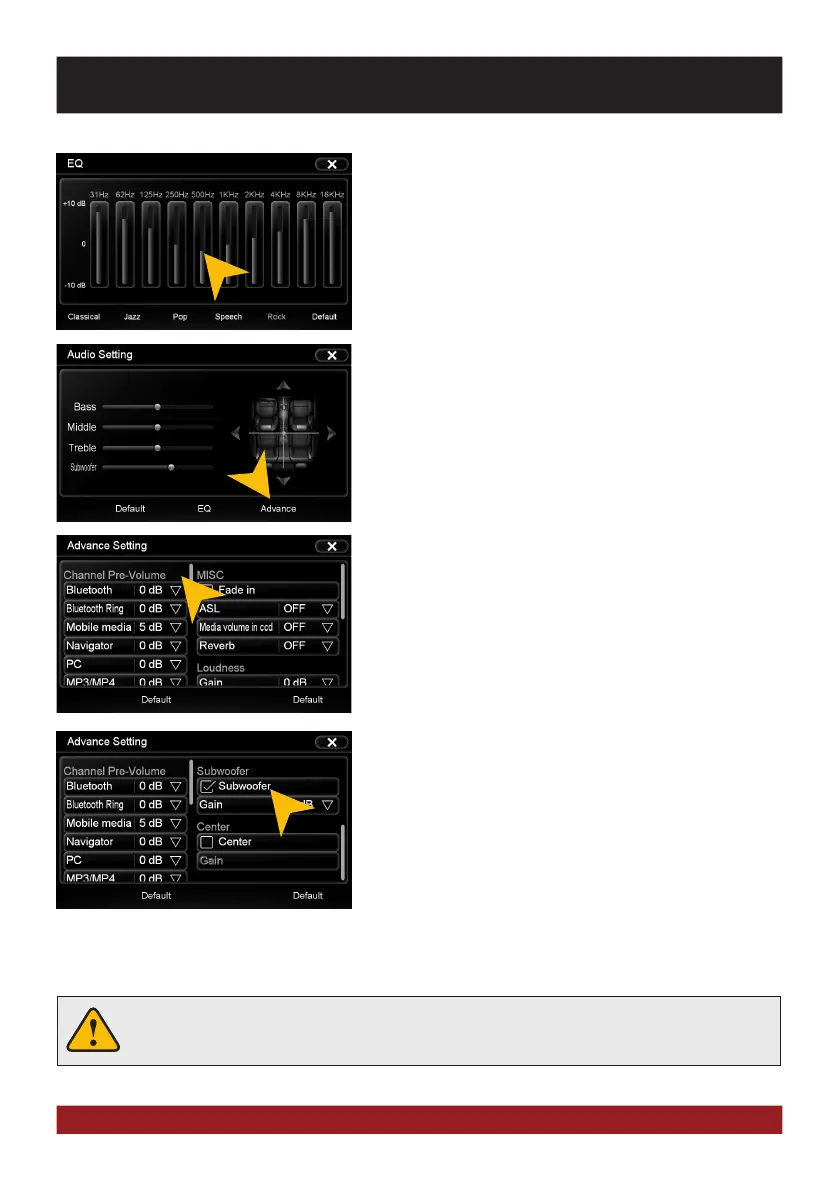
Tap on one of the control bars to change the equalizer preset.
Tap on „Advance“ to open the advanced audio settings.
On the left under „Channel Pre-Volume“ you can set the indi-
vidual volume for each application. Just tap on the arrow icons
to change the value upward or downward.
Scroll down the left field to display all applications.
Under „MISC“ you can enable the:
„Fade in“ for very beginning audio track.
„ASL/GALA“ speed-dependent volume adjustment in three
stages.
„Media Volume in CCD“ level attenuator, when reverse gear
is engaged (low, medium, high). This function is only effective
when „Pause Audio playback during reverse travel“ under
display (see pg. 31) is set to OFF.
„Reverb“ with 6 DSP presets to change the sound character-
istics of the device.
With „Default“ you can restore the respective factory settings.
BASIC FUNCTIONS



 To Next Page