ETAtouch controller Getting to know the control system
7.1.6 Getting started
7.1.6.1 System settings
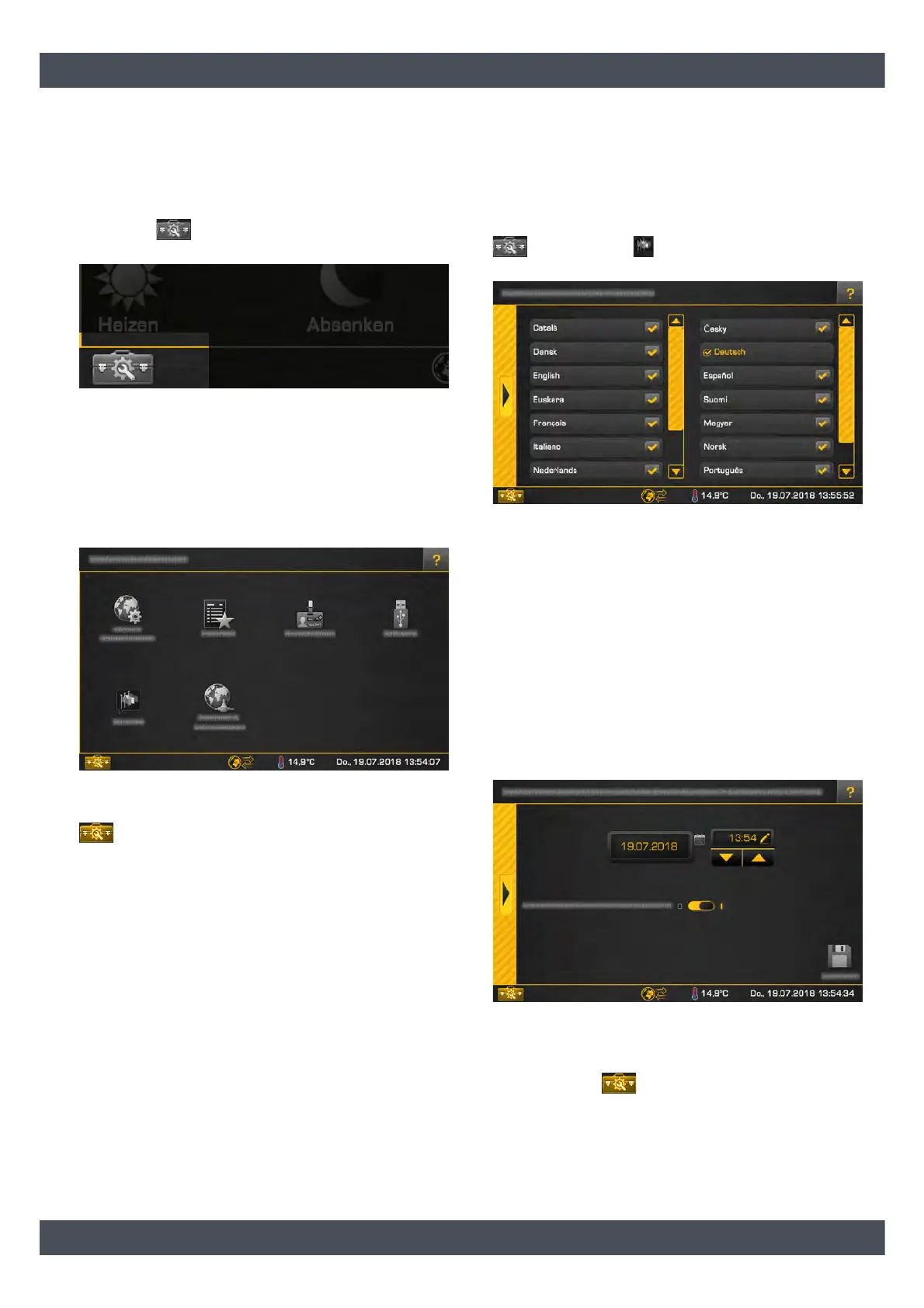
Opening the system settings
Tap on the symbol in the lower left of the screen
to open the system settings menu.
Fig. 7-14: Opening the system settings
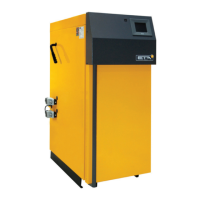
In the system settings, the date and time is set, the
language of the control system is set, and access to
the remote "meinETA" system is enabled, among other
things.
With the [Service] authorisation, the software for the
ETAtouch control system is also updated in this menu.
Fig. 7-15: System settings menu
To close the system configuration, simply tap on the
symbol again.
7.1.6.2 Setting the language
Changing the language of the ETAtouch control
system
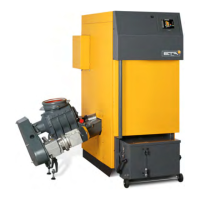
The language displayed by the control system can be
changed. To do so, open the system configuration
and tap on the [Language] symbol. A settings
window appears.
Fig. 7-16: Setting the language
Please select the desired language. The ETAtouch
control system will then be displayed in the language
selected.
7.1.6.3 Setting the date and time
Setting the date and time
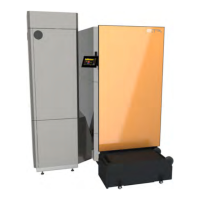
The date and time can be adjusted to the respective
time zone. The date and time are set to Central
European Time (UTC+01:00) from factory. To set, tap
on the date or time on the screen. A settings window
appears.
Fig. 7-17: Date and time
Using the arrow keys, set the time. Tap on the date
field to open the calendar. Save the new setting and
then tap on the symbol to close the system con-
figuration.


 To Next Page