ETAtouch controller [Heating circuit] function block
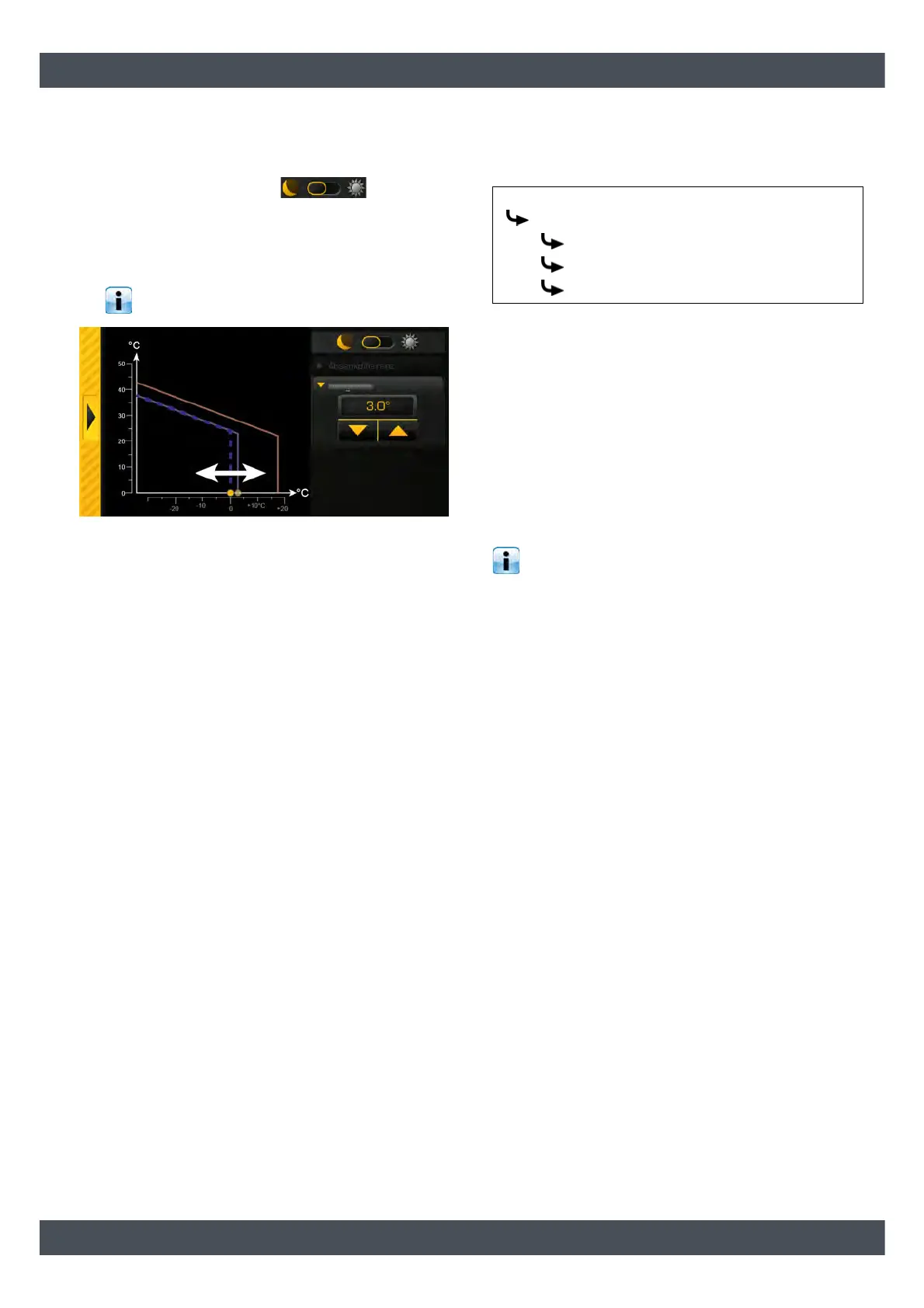
Setting heating limits for the reduced operation
mode
1. Change the selector switch to the reduced
operation mode position ( ).
Use the arrow keys to reduce parameter [Heating
threshold], so that the heating circuit in reduced
operation mode switches off at a lower outside
temperature, or increase the value.
At settings below 0 °C, there is a risk of
freezing.
Fig. 7-67: Heating limit for reduced-temperature mode
7.6.4 Text menu - Adjustable parameters
Adjustable parameters
Detailed descriptions of the parameters are provided
below.
Explanation of [Room effect]
Optional: only for room sensor
The flow temperature is calculated on the basis of the
heating curve and the outside temperature. If the room
temperature falls by 1°C, the target flow temperature is
increased by this set value. If the room temperature
rises by 1°C, the target flow temperature is decreased
by the set value.
For underfloor and wall heating with a design
temperature of 30 °C, set the room influence to 1
°C; with a design temperature of 40 °C, set it to 2 °C.
Explanation of [Switch-on diff. room] and [Switch-
off diff. room]
Optional: only for room sensor
These parameters specify the allowed deviation of the
set room temperature for switching the heating circuit
on and off.
Example:
Room temperature setting = 21 °C
[Switch-on diff. room] = 0.5 °C
[Switch-off diff. room] = 2 °C
=> The heating circuit will be switched off as soon as
the room temperature reaches 23 °C (=21 + 2 °C). If
the room temperature falls to 21.5 °C (=21+0.5 °C),
heat is supplied to the heating circuit again.
Heating circuit
Room
Room effect
Switch-on diff. room
Switch-off diff. room


 To Next Page