34 www.eta.co.at
Getting to know the control system ETAtouch controller
7.1.8 Favourites
The "Favourites" function
With the "Favourites" function you can collect any
parameter from the text menu (and from other function
blocks) in groups, so-called "Favourites". You can, for
example, create a favourite group with the current
buffer temperature, hot water temperature and
collector temperature. Another group could contain the
outside temperature and several room temperatures.
In this way you gain a quick overview of any values that
are important for you. Naturally, parameters can be
added or deleted at any time.
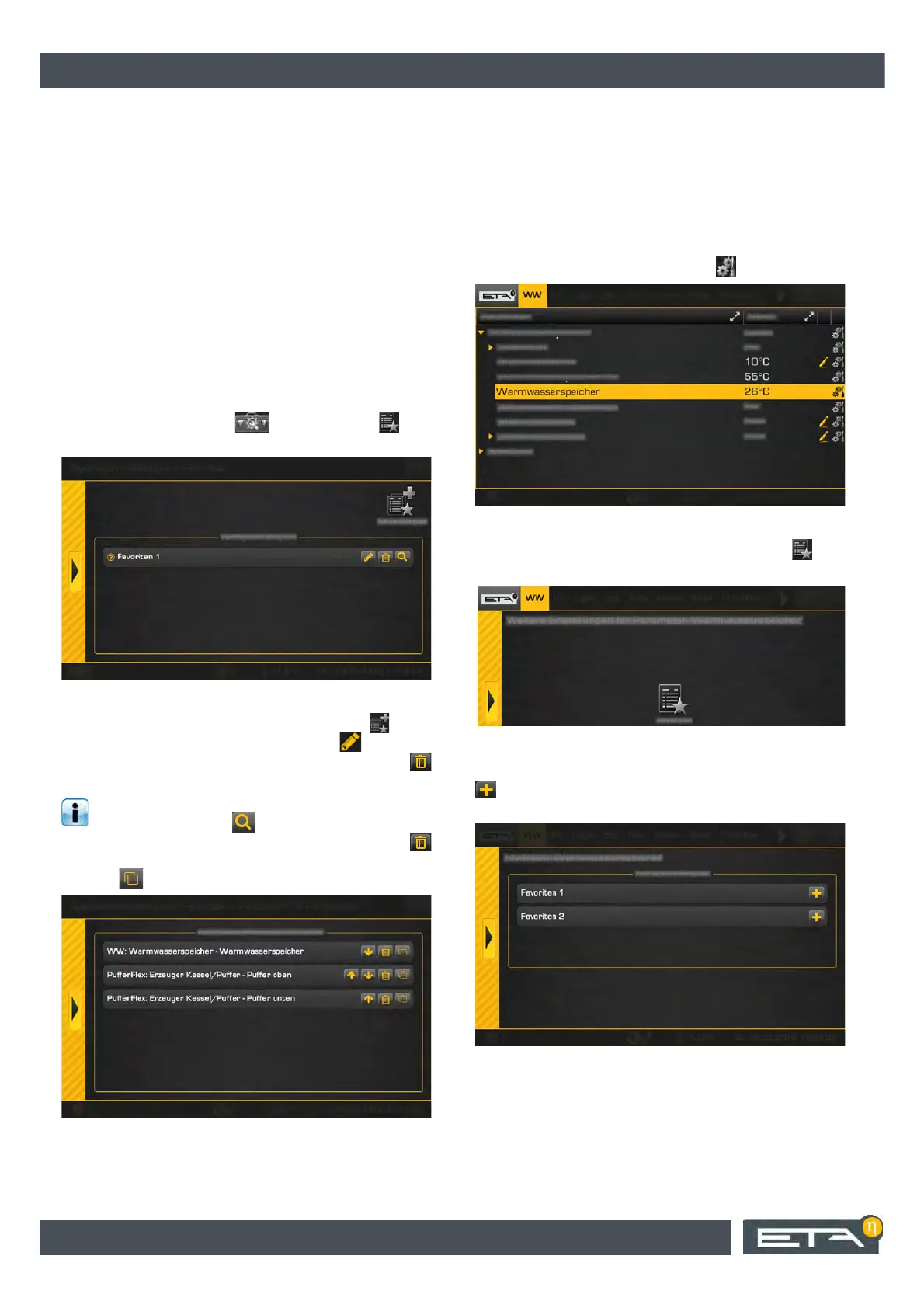
First create or designate a favourite group so it is
easier to assign parameters later on. To do so, open
the system configuration and tap on the [Fa-
vourites] symbol. An overview screen opens.
Fig. 7-37: Overview of favourite groups
If another group is required, add it with the [New
group] button. With the pen symbol you can
rename a favourite group and delete it with the
button.
Parameters that have already been added are
displayed with the button. You can change
the display sequence with the arrow keys. With the
button you can delete a parameter from this group, and
with the button you can copy it to another group.
Fig. 7-38: Editing parameters
Adding parameters to favourites
Adding parameters to favourites groups takes place in
the text menu of the corresponding function block. In
the following example, the current hot water
temperature is added to favourites.
First, change in the function block of the hot water tank
to its text menu. For parameters [Hot water tank] on the
right edge of the screen tap on the symbol.
Fig. 7-39: Adding parameters
In the settings window that opens tap on the [Fa-
vourites] button.
Fig. 7-40: Settings window
The overview of the favourite groups appears. With the
button choose any group to which you want to add
parameters. You can also select several groups.
Fig. 7-41: Overview
Other parameters are added in the same way.


 To Next Page